Best AI Personal Assistant: Top Picks for 2026

On this page
The best AI personal assistant for 2026 is the one that removes repeated work from your actual day. If you spend that day in Outlook and Teams, Copilot is a different decision than if you work from Gmail, Slack, and a phone. If you need a tool that drafts, researches, and reasons, ChatGPT or Claude may be enough. If you want the assistant to keep acting across your stack, you’re closer to best AI agents and AI agent platform territory.
That product split is why so many comparisons feel muddy. They lump together chat tools, workspace copilots, scheduling products, meeting tools, and proactive agents. This guide separates those categories so you can choose the right assistant faster and avoid paying for five overlapping tools.
The core filter is simple: where does the assistant live, and does it come to you? That matters more than another ten checkboxes on a feature grid. It also decides whether you are buying an AI virtual assistant, a personal AI assistant, or a more complete agentic AI workflow.
How the AI Assistant Market Split in 2026
The market fractured into two distinct categories — and knowing which one you’re looking at changes the whole evaluation.
On one side: general-purpose reasoning engines. ChatGPT, Claude, Gemini. They’ll write your proposal, debug your code, summarize a 40-page document. You go to them. You ask. You get an answer. Then you do the work yourself.
On the other: specialized workflow tools. Motion, Reclaim.ai, Superhuman. These embed directly into your calendar or inbox and move the needle on specific tasks — automatically, without a prompt.
The first wave of assistants (2023–2024) were mostly in the first category: smart chatbots with personality. You asked, they answered, you did the work. The 2026 generation includes tools that connect to your software, understand your workflow, and take action without waiting for instructions.
60–80% of executives are actively looking for new productivity tools right now. Most of them are evaluating the wrong dimension. More on that shortly.
The Best AI Personal Assistants in 2026, by Use Case
Zapier tested nine options across real workflows. Here’s where each tool actually wins — and where it doesn’t.
ChatGPT — Best Overall
Still the most flexible option for writing, research, and reasoning tasks. Broad capability, massive plugin ecosystem. Weakness: you have to go to it. Every session starts from scratch unless you've configured memory carefully.
Claude — Long-Form and Code
Strongest for long-context work — contracts, research papers, complex codebases. Its ability to hold context across very long documents is genuinely differentiated. Less useful for calendar or inbox tasks.
Microsoft Copilot — Microsoft 365 Users
If your stack is Word, Outlook, Teams, and Excel, Copilot is the fastest way to get time back. Works inside the tools you already have open. No onboarding friction. The ceiling: it doesn't reach outside the Microsoft ecosystem.
Google Gemini — Google Workspace Users
Same logic as Copilot, different ecosystem. Gmail, Docs, Meet, Calendar — Gemini sits inside all of it. Fast, frictionless, genuinely useful. Same ceiling: Google-only.
Reclaim.ai — Calendar and Time Management
The most effective tool for protecting focus time. Reclaim automatically schedules habits, tasks, and meetings around your priorities. It's narrow — doesn't handle email or research — but within its lane it's excellent.
Motion — Project and Schedule Automation
Combines task management with automatic daily scheduling. If you're managing multiple projects and constantly re-prioritizing, Motion does the reordering for you. Steeper learning curve than Reclaim.
Superhuman — Inbox Management
Built for people who live in email. AI-assisted triage, follow-up reminders, split-second sorting. It costs more than a standard email client and requires you to move your email there — but power users report meaningfully faster inbox zero.
Perplexity — Real-Time Research
Better than ChatGPT for questions where current information matters. Cites sources, pulls live web data, gives you a starting point with references. Not a workflow tool — a research tool.
Granola — Meeting Transcription
Focused entirely on meetings. Records, transcribes, and generates summaries with action items. Narrow scope, but it does that one thing exceptionally well.
If you’re comparing personal AI assistants across these categories, notice the pattern: the tools with the clearest use case tend to win within that use case. The tools trying to do everything tend to do nothing particularly well.
The Integration Gap Nobody Talks About
Here’s the thing most AI assistant reviews skip over: the biggest differentiator in 2026 isn’t which AI model powers the tool. It’s whether the tool operates inside your existing workflow or outside it.
Workspace-integrated tools — Copilot, Gemini — deliver the fastest productivity gains precisely because they’re already where you work. No context-switching, no copy-paste, no opening another tab. The AI is there when you need it.
Standalone tools — even excellent ones — require you to bring them the context. Every. Single. Time. You’re doing the integration work manually, on every task, indefinitely.
Multi-function platforms that handle scheduling, email, CRM, and communication from a single system consistently outperform single-purpose tools in real usage — not because scheduling tools are bad, but because context-switching between five apps costs you time you don’t notice losing.
But here’s the harder truth: most integrated tools work within one ecosystem. Copilot is Microsoft. Gemini is Google. If your actual workflow spans both — plus a CRM, a project tool, and a messaging app — neither of them can see the full picture.
This is exactly why tools that live natively in messaging platforms — rather than requiring a separate app — are gaining traction. AskLee, for example, operates inside Telegram, Discord, and Slack rather than adding another tab to your browser. At $29/month, it bets that the best assistant is one you’re already checking 40 times a day.
We built BrainRoad on the same principle — your AI agent lives in WhatsApp or Signal, connects to your email and calendar, and messages you when something needs attention. The interface is wherever you already are, not wherever the software company decided to put it.
How to Choose Without Second-Guessing Yourself
Three questions cut through most of the noise.
First: where do you actually spend your day? If you’re in Microsoft 365 from 8 to 6, Copilot is the obvious answer. If you’re in Gmail and Google Calendar, Gemini. If you’re bouncing between three different ecosystems, neither workspace tool is enough.
Second: what’s your biggest time drain? Calendar chaos → Reclaim or Motion. Email overload → Superhuman. General writing and research → ChatGPT or Claude. Meeting notes you never write → Granola. One problem, one tool.
Third: do you need the tool to act, or to assist? Most tools are assistants in the traditional sense — they help you do work faster. True AI agents take action autonomously: they reply to emails, schedule meetings, and follow up — without waiting for you to open the app. If you want the latter, you’re looking at a different category entirely.
Beyond that, the evaluation criteria that actually matter: integration with your existing tools (not features in isolation), memory and context awareness across sessions, and privacy compliance if you’re handling client data — GDPR and HIPAA both apply depending on your field.
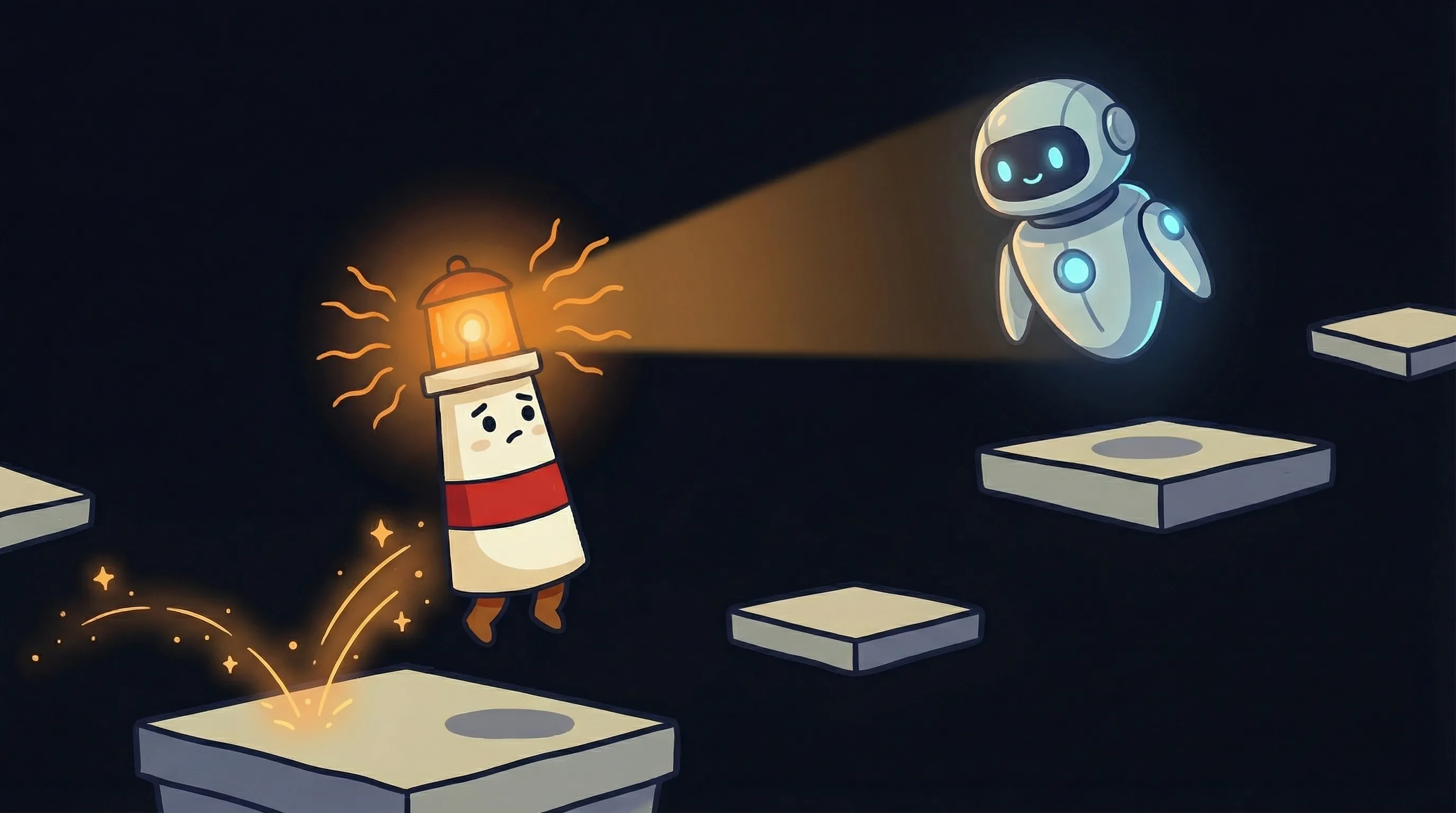 Beacon says: the right AI assistant doesn’t just answer questions — it learns the shape of your day.
That last number is worth sitting with. Two full weeks a year. Teams using AI tools multiple times daily save up to 26 minutes per day — which compounds to roughly two weeks annually. At $100/hour billable rate, that’s $20,000+ in recovered time. The question isn’t whether this category is worth the subscription. The question is which subscription returns the most of it.
Where Most Picks Fall Apart in Practice
The demo always looks clean. The real install rarely does.
- Ecosystem lock-in. Apple Intelligence’s rebuilt Siri offers unmatched device integration for Apple tasks — ‘text Sarah I’m running late’ with zero setup. But it can’t touch Notion, Slack, or any non-Apple service. If your workflow crosses that boundary, it fails silently.
- Context amnesia. Standalone tools like ChatGPT start fresh each session unless you manually configure persistent memory. Most users don’t. Most users wonder why the AI keeps asking who they are.
- Single-ecosystem ceilings. Copilot is exceptional within Microsoft 365. The moment you need it to check your Salesforce pipeline or your Asana board, it stops being exceptional.
- Passive vs. active. A tool that answers questions is not the same as a tool that takes action. Confusing these categories leads to disappointment every time. You set it up expecting follow-ups; it waits for you to ask.
- Onboarding that never ends. Some tools require continuous prompt engineering to stay useful. That’s a maintenance cost most evaluations don’t include in the ROI calculation.
Your First Week With a New AI Assistant
Don’t try to automate everything in week one. Pick one workflow, prove the value, then expand.
Identify your single biggest time drain
Email, calendar, meeting notes, or research — pick one. A focused assistant beats a scattered one every time. If you can't name it in one sentence, spend a day tracking before you subscribe.
Match tool to workflow, not to feature list
Use the categories above. If you're in Google Workspace all day, start with Gemini — free with your existing subscription. If you're cross-ecosystem, look at tools that live in your messaging apps (Telegram, WhatsApp, Slack) instead.
Set up integrations before you judge the tool
Most AI assistants underperform on day one because they're not connected to your actual data. Connect your calendar and email first. If the tool can't access your context, it's just a chatbot with a better name. See our guide on [how to get your first AI API key](/how-to-get-your-first-ai-api-key-and-activate-your-agent/) if you're setting up a more flexible agent.
Give it one week of active use before evaluating
Most tools improve as they learn your patterns. The day-one experience is not the week-four experience. If you haven't given it real tasks, you haven't evaluated it.
Track time saved, not impressiveness
The impressive demo and the useful tool are sometimes different products. At the end of week one, ask: did this save me time? Was that worth $20–50/month? If yes, expand. If no, switch. Don't optimize for feeling productive — optimize for being productive.
If you need true autonomy, evaluate the agent category separately
Tools that draft and queue responses, handle scheduling end-to-end, and proactively message you about issues are a distinct category from assistants that wait for prompts. Explore the [AI agent platform](/ai-agent-platform/) landscape separately — they solve a different problem.
What This Means for Your 2026 Stack
- The AI assistant market has split into two categories: reasoning engines you go to (ChatGPT, Claude) and workflow tools that come to you (Copilot, Gemini, Reclaim, Motion). Most people need at least one of each.
- The fastest time-to-value is workspace integration — Copilot for Microsoft users, Gemini for Google users. Teams using AI tools daily save up to 26 minutes per day, compounding to two full weeks annually.
- Harvard research shows AI-assisted professionals complete tasks up to 25% faster — but only when the tool is actually embedded in the workflow, not sitting in a separate tab.
- The critical evaluation dimension in 2026 is integration depth, not model quality. A slightly worse model inside your inbox beats a slightly better model that you have to open separately.
- True autonomous agents — tools that act without being prompted — are a separate category from assistants. If you want your AI to send emails, schedule meetings, and follow up on your behalf, evaluate that category deliberately.
The teams getting the most out of AI assistants right now aren’t the ones with the most sophisticated setup. They’re the ones who picked one tool, integrated it properly, and let it run. The compounding advantage isn’t from the AI getting smarter — it’s from you stopping the habit of doing everything manually. That gap widens every month you wait.
Set Up a Personal Agent, Not Just Another Tab
BrainRoad builds the private Business Brain your AI helper drafts from, with review before anything sends. Free for 30 days, no credit card.
Build Your Business BrainFrequently Asked Questions
What's the difference between an AI assistant and an AI agent in 2026?
An AI assistant responds when you ask. An AI agent acts without being asked. Assistants like ChatGPT or Copilot help you work faster by answering questions and drafting content — but you still drive. AI agents connect to your tools, monitor your inbox and calendar, and take actions like sending replies or scheduling meetings autonomously. The distinction matters for how you evaluate and deploy them.
Is ChatGPT still the best AI personal assistant in 2026?
It’s still the best general-purpose option for breadth — writing, research, reasoning, brainstorming. But ‘best overall’ depends heavily on use case. For calendar management, Reclaim is better. For inbox, Superhuman. For Microsoft users, Copilot. ChatGPT wins when you need flexibility across many task types and don’t mind being the one to initiate every interaction.
How much does a good AI personal assistant cost in 2026?
The range is wide. Some tools come bundled with existing subscriptions — Gemini with Google Workspace, Copilot with Microsoft 365. Standalone tools range from $20/month (Reclaim) to $30+ (Superhuman, Motion) to $29/month for messaging-native agents like AskLee. API-based personal agents typically add $8–20/month in usage costs on top of hosting. The ROI question: if it saves you 26 minutes daily, it pays for itself at nearly any billable rate above $30/hour.
Should I use one AI assistant or multiple?
Most practitioners end up with two: a reasoning engine (ChatGPT or Claude) for writing and research, and a workflow tool (Copilot, Gemini, Reclaim, or Superhuman) for their specific productivity pain point. Beyond two, the management overhead starts to eat the productivity gains. If you find yourself managing five AI tools, you’ve created a new job, not saved time from one.
What should I prioritize when evaluating AI assistants for work?
Integration with your existing tools matters more than any feature list. After that: memory and context awareness across sessions, privacy compliance if you handle client data (GDPR and HIPAA both apply in many industries), and whether the tool is proactive or reactive. A proactive tool that messages you when something needs attention is categorically different from one that waits for your prompt.
Sources
- Zapier — The 9 best AI personal assistant apps in 2026
- MrDelegate — AI Personal Assistant 2026 Guide
- Arahi AI — Best AI Assistant for Work in 2026
- Arahi AI — Best Personal AI Assistant in 2026: 9 Tested & Compared
- UC Strategies — Best AI Personal Assistants in 2026
- Use Carly — 12 AI Personal Assistants That Actually Do the Work
- AskLee — 7 Best AI Personal Assistants in 2026