Best AI Virtual Assistant for Small Business Follow-Ups

On this page
Your competitor quotes a lead on Tuesday at 9 AM. You quote the same lead Tuesday at 4 PM — after you finished the job you were on, answered three client texts, and finally sat down to check your inbox. By 4 PM, the lead has already signed with your competitor.
That’s not a made-up scenario. Most small businesses average over 42 hours in lead response time. And more than 30% of leads are never contacted at all — not because the business owner didn’t care, but because there was no system catching them. That’s a systems problem, not a people problem.
If you’re looking at AI virtual assistants for small business follow-ups right now, you’re past the ‘should I automate?’ question. You’re asking which approach actually works without creating a new job of managing the automation. That’s the right question. The answer is more specific than most guides admit — and there’s a distinction most business owners miss that separates setups that hum from setups that quietly let leads fall through. I’ll get to it after the numbers.
If you’re exploring the broader category first, our AI virtual assistant guide covers how these tools have evolved from basic chatbots into systems that can draft, schedule, and follow up on your behalf.
The Follow-Up Math You Can’t Ignore
78% of customers buy from the first business to respond to their inquiry. Not the best-priced. Not the most experienced. The first.
That’s 42 hours versus 5 minutes. Firms that contact leads within five minutes are 21 times more likely to qualify them than firms that wait 30 minutes. After 60 minutes without a response, a lead’s intent drops 90%. So if you’re batch-checking your email twice a day, you’re not slow — you’re functionally invisible to a majority of your inbound leads.
The math gets worse on the back end. 80% of sales happen between the 5th and 12th contact. But 92% of people stop following up after 4 attempts. That means most businesses are quitting right before the sale was going to happen — consistently, systematically, every week.
Here’s the math in real terms: if you’re generating 20 leads per week and losing 78% of them because someone else responded first, that’s 15-16 leads gone before you even got a chance. At any reasonable close rate, that’s a significant revenue gap — compounding every single week. The time cost is just as real. A 2024 Verizon Digital Ready survey found small business owners lose an average of 21.8 hours per week to repetitive administrative tasks. That’s more than half a full-time work week gone to tasks that software can handle.
21.8 hours. If your hourly rate is $75, that’s $1,635 per week in time spent on things a well-configured AI virtual assistant for small business could handle. Over a year, that’s over $85,000 in unbillable hours. Not because you’re inefficient — because no system existed to catch the repetitive work.
What ‘AI Virtual Assistant’ Actually Means for Small Business Follow-Ups
The term gets used for everything from a chatbot on a website to software that reads your email and drafts replies. For follow-up specifically, here’s what actually matters.
A useful AI virtual assistant for small business follow-up does some combination of these things without you having to drive it manually: it identifies who needs a follow-up, drafts the message based on context it already has, sends it or queues it for your review, and tracks what happened. The key word is ‘context.’ An AI that doesn’t know your business — your service rules, your pricing, your usual timeline, your customer history — will draft generic messages that feel like spam.
Most current tools handle customer inquiries at roughly $0.50 per conversation and respond in under 2 seconds, compared to $6–$12 per conversation for a human agent. Accuracy on routine tasks — standard replies, appointment reminders, quote status updates — exceeds 92% for well-configured setups. The limiting factor isn’t the technology. It’s whether the tool has enough business context to draft something that sounds like you.
One pattern shows up repeatedly in failed AI assistant setups: people treat them as a single tool rather than a layered system. A useful setup needs something to reason about your follow-up context, something to capture new leads and messages, something to schedule or queue outreach, and connectors to the apps your business actually runs on — email, CRM, SMS, whatever your customers use. The tools that work well usually handle multiple layers, or integrate cleanly with tools that handle the others.
The Two Types of Follow-Up — and Why Conflating Them Breaks AI Setups
Here’s the distinction that most guides skip, and it’s the one that actually determines whether an AI virtual assistant setup works or quietly fails.
There are two fundamentally different kinds of follow-up. Transactional follow-up is systematic and predictable: lead acknowledgments, appointment reminders, quote status checks, review requests after a job is done, payment follow-ups. The message is essentially the same every time, the trigger is clear, and the stakes of getting it slightly wrong are low. This should be automated.
Relationship follow-up is different. It requires judgment and context: a long-time client who mentioned something personal, a prospect who had a bad experience with a competitor you know, a referral where tone matters more than speed. Getting this wrong — or making it feel robotic — costs you more than the follow-up was worth.
The best AI virtual assistants for small business are designed around this distinction, even if they don’t always state it explicitly. The question to ask any tool: does it know when to draft and wait for your review, versus when to send automatically? That control layer is what separates a useful tool from one that sends something at the wrong moment to the wrong person.
Comparing Your Real Options for Small Business Follow-Up Automation
You have several real options here. Each has trade-offs worth naming honestly.
Hire a virtual assistant (human)
A human VA can handle judgment calls, personalize messages, and adapt to anything. Cost: $800–$3,000+/month for part-time. Availability: limited to their hours. Training: takes weeks. Turnover: real risk. Good for relationship follow-up. Slow and expensive for transactional volume.
CRM with built-in reminders
Tools like HubSpot or Pipedrive can trigger reminders and sequences. They remind YOU to follow up rather than following up for you. Still requires manual action. Good if you're disciplined. Falls apart when you're busy — which is exactly when follow-up matters most.
Email sequence tools (Mailchimp, ActiveCampaign)
Good for marketing lists and drip sequences. Not designed for one-to-one follow-up on specific leads or quotes. Generic by design. Customers recognize these and respond accordingly.
Specialized AI follow-up tools
Tools built specifically for small business follow-up. cece ai handles email, scheduling, follow-ups, quotes, and invoices from within Gmail — starting at $88/month with a 14-day free trial. fulp.ai focuses on multi-channel SMS, email, and voice follow-up with a claimed 15-minute setup. These handle transactional follow-up well but vary in how much business context they can work from.
AI virtual assistant with a Business Brain
A setup where the AI works from your actual files, notes, templates, and customer history — not just triggered sequences. Drafts are built from real context, reviewed before anything goes out. Higher setup investment, but output sounds like you rather than a template. Better for businesses where tone and specificity matter.
Cost benchmark: AI virtual assistants for small businesses generally run $20–$500 per month, with a 40–60% cost reduction compared to human equivalents according to Gartner (2025). The $88/month entry point from tools like cece ai is on the lower-mid end for a full-featured setup. Human VA equivalents for the same follow-up volume typically cost 5–10x more.
What to Look For in an AI Virtual Assistant for Small Business Follow-Ups
Not all tools are built the same. Here’s what actually separates setups that work from ones that need constant maintenance.
- Works from your business context, not blank templates. The AI should be able to reference your service rules, pricing, customer names, and prior conversation history — not just merge-field a first name into a generic message.
- Drafts before it sends. For anything that isn’t fully transactional, you want to review before it goes out. A good tool makes this frictionless — you see the draft, approve it, done. A bad tool sends first and apologizes later.
- Multi-channel or channel-matched. Your leads might come in via email, SMS, or a contact form. The tool should follow up through the same channel they used, not wherever is easiest for the software.
- Handles the full sequence, not just the first touch. The problem isn’t the first follow-up — it’s the 5th and 6th. Tools that only handle initial responses leave you with the same gap as before.
- Clear limits on what it does autonomously. Any tool that sends, posts, or changes something externally without a review step should require your explicit sign-off. The question isn’t whether the AI is smart enough — it’s whether you want a safety layer for anything customer-facing.
For a broader look at how AI assistants handle customer-facing interactions beyond follow-up, the conversational AI for customer service guide covers what the current generation of tools can and can’t do in real service scenarios.
Where AI Follow-Up Assistants Break Down
We’ve watched enough of these setups to know where they fail. The technology works. The failure modes are almost always about configuration and context.
- No business context loaded. The AI drafts generic messages because nobody gave it your templates, pricing rules, or customer history. Customers notice immediately.
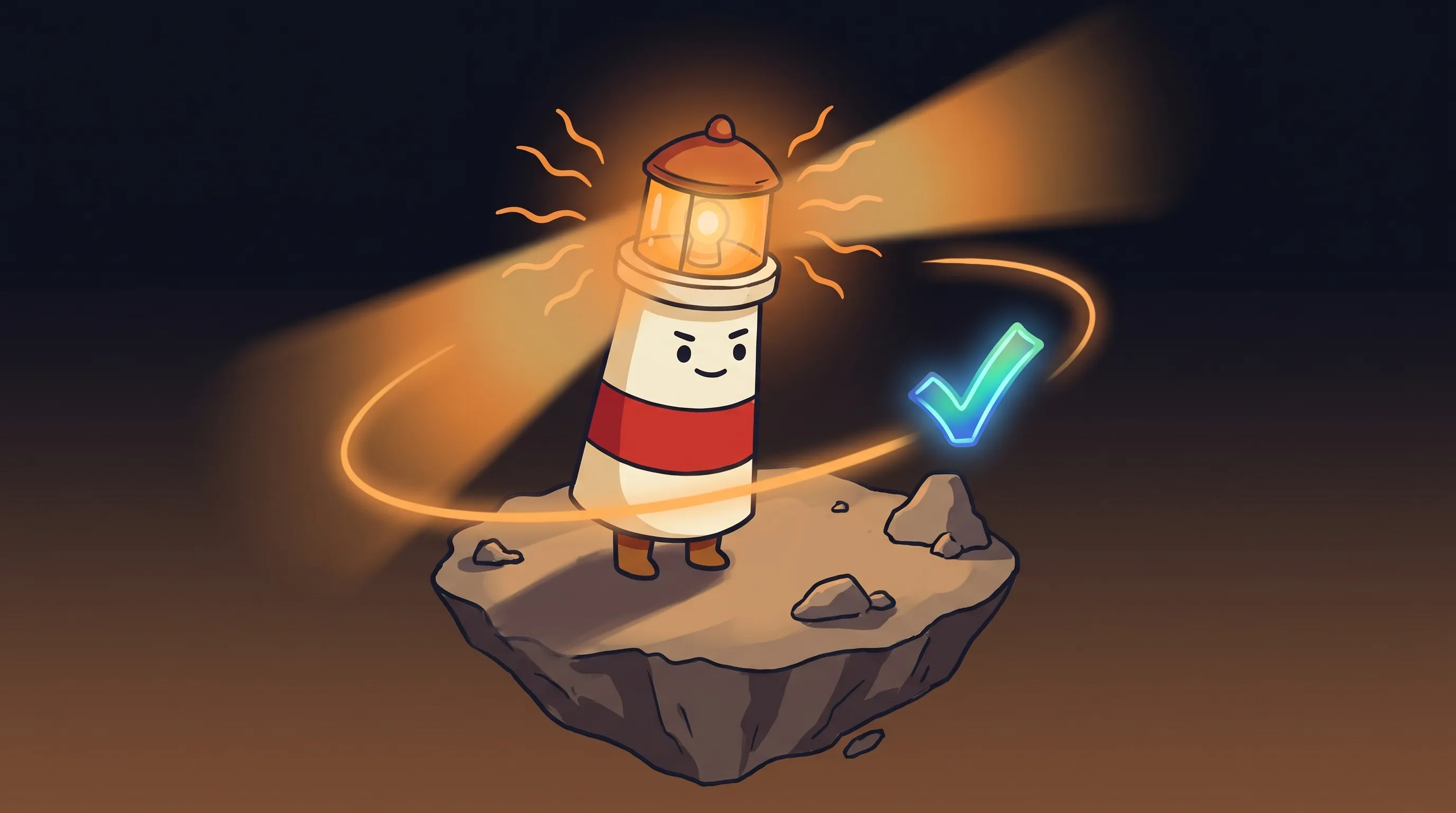 Beacon knows that every follow-up you forget is a connection that fades. Let’s keep those lights on.
- Automating relationship follow-up. A long-time client gets a bot-sounding reminder about an unpaid invoice. You lose more in trust than the invoice was worth.
- Single-layer setup. Someone connects a chatbot to their email and expects it to handle everything. When the chatbot can’t answer something, there’s no escalation path — leads just disappear.
- No review step for edge cases. The AI sends an apology to a customer whose complaint it misread. Now you’re managing a PR problem instead of a billing question.
- Treating setup as a one-time event. Your services change. Your pricing changes. Your follow-up rules change. An AI working from stale context sends stale messages. The Brain needs maintenance.
- Expecting 100% automation on day one. The tools that work well usually start with draft-and-review before moving to auto-send. Skipping the review phase to go faster is where expensive mistakes happen.
Your Monday Morning Follow-Up Setup Checklist
If you want to stop losing leads to slower response times this week, here’s where to start. This is a first-90-days path, not a one-afternoon fix.
- Audit your current response time. Pull the last 20 leads from your inbox or CRM. Calculate average time from inquiry to first response. If it’s over 2 hours, you have a system problem, not a bandwidth problem.
- Separate your follow-up into two lists. On one list: every follow-up that’s essentially the same message every time (inquiry acknowledgment, appointment reminder, quote sent, review request, payment reminder). On the other: follow-ups that require knowing the specific customer or situation. The first list is what you automate. The second stays human — at minimum, human-reviewed.
- Pick a tool matched to your channel. If most of your leads come via email, an email-native tool like cece ai ($88/month) is a faster fit than a multi-channel platform. If you get leads via SMS, phone, and form fills, a multi-channel tool like fulp.ai makes more sense. Don’t pick the most feature-rich tool — pick the one that covers where your leads actually come from.
- Load your actual business context before the first send. Write down your service descriptions, standard pricing, typical turnaround time, and your usual follow-up language. Give this to the tool before you turn on automation. An AI working from your real context drafts messages that sound like you. An AI without context sounds like every other bot.
- Run in draft-and-review mode for the first 30 days. Set the tool to draft messages but hold them for your approval before sending. Review each draft. When the AI gets something wrong, correct it and update your context. After 30 days, you’ll know which message types are safe to auto-send and which need a second look.
- If you’re spending over $200/month on the tool and still reviewing every draft manually after 60 days, the context loading hasn’t worked — go back to step 4 and add more specifics.
- Set a response-time target: under 5 minutes for new lead acknowledgments. Firms that contact leads within five minutes are 21 times more likely to qualify them. This single metric, tracked weekly, tells you whether your setup is working.
What This Means for Your Follow-Up Strategy
- Speed is a structural advantage, not a personal one. 78% of customers buy from the first business to respond. You can’t out-hustle a system — you need one.
- The math compounds. 80% of sales happen between the 5th and 12th contact, but 92% of people stop at 4. Automated follow-up sequences don’t get tired, distracted, or discouraged on follow-up 6.
- Not all follow-up should be automated — and conflating the two types is the most common reason AI setups underperform. Transactional follow-up goes to the AI. Relationship follow-up stays human, or at minimum human-reviewed.
- AI virtual assistants for small business cost $20–$500/month. The cost comparison to a human VA ($800–$3,000+/month) isn’t close — but only if the AI has enough business context to draft messages that don’t feel robotic.
- Draft first, approve before sending. Any tool that sends customer-facing messages without a review step deserves more scrutiny. Start with the review layer on. Remove it selectively, only after you’ve seen consistent accuracy.
The businesses running some version of this right now aren’t doing it because they had spare time to set it up. They did it because 42 hours of average lead response time is a competitive liability they couldn’t afford to keep paying. The gap between doing this and not doing this compounds every week — in leads that went to someone faster, in follow-ups that never happened, in hours spent on work a system could have handled.
Frequently Asked Questions
What is the best AI virtual assistant for small business follow-ups?
There’s no single answer — it depends on where your leads come in. For email-native workflows, cece ai (starting at $88/month) handles email, scheduling, follow-ups, and quotes within Gmail. For multi-channel follow-up across SMS, email, and voice, fulp.ai is built specifically for small business lead response. Both are purpose-built for follow-up rather than general AI. The more important question is whether the tool can work from your actual business context — your pricing, templates, and customer history — rather than generic sequences.
How fast should an AI virtual assistant respond to new leads?
Under 5 minutes. Firms that contact leads within five minutes are 21 times more likely to qualify them than those that wait 30 minutes. A lead’s intent drops 90% after 60 minutes without a response. Most AI virtual assistants can send an initial acknowledgment in under 2 seconds once configured — the setup work is making sure that acknowledgment contains useful, specific information rather than a generic ‘thanks for reaching out.’
Should I automate all of my follow-up or just some of it?
Just some of it. Transactional follow-up — lead acknowledgments, appointment reminders, quote status checks, review requests — is safe to automate because the message is essentially the same every time. Relationship follow-up that requires knowing the specific customer, their history, or their situation should stay human, or at minimum have a human review the draft before it sends. Businesses that try to automate everything typically damage their most important relationships with robotic-feeling messages.
What does an AI follow-up assistant cost for a small business?
AI virtual assistants for small businesses typically run $20–$500 per month depending on features and message volume. Specialized follow-up tools like cece ai start at $88/month. That compares to $800–$3,000+ per month for a part-time human virtual assistant doing equivalent work, and a 40–60% cost reduction versus human equivalents according to Gartner (2025). The cost advantage is real — but only if the setup is configured with enough business context to produce useful drafts.
How do I know if my AI follow-up setup is actually working?
Track two numbers: your average lead response time (target: under 5 minutes for new inquiries) and your follow-up sequence completion rate (are leads making it to the 5th and 6th touch, or dropping off at 4?). If your response time is under 5 minutes and your sequences are running to completion, the setup is working. If you’re still reviewing every draft manually after 60 days, the business context you’ve loaded needs more detail — go back and add more specifics about your services, pricing, and usual language.
Sources
- AI Follow-Up Automation for Small Businesses | Small Business Chatbot
- How to Automate Lead Follow-Up with AI in 2026 | The AI Department
- How to Automate Follow-Up for Your Small Business | Founder’s Point
- AI Virtual Assistant for Small Business: 2026 Cost & Tool Guide | Articsledge
- AI Assistant for Small Business: The Complete 2026 Guide | ClawRapid
- Best AI for Email Follow-Ups (2026) | alfred_
- cece ai — AI Assistant for Small Business
- fulp.ai - AI-Powered Multi-Channel Follow-Up Automation
- The Best AI Personal Assistant Setups in 2026 | Leland