AI Receptionist vs AI Virtual Assistant for Small Business: Which One Handles Customer Messages Better?

On this page
Two business owners. Same Monday morning. The first one opens her inbox to 23 unread messages, 4 missed calls from Friday, and a voicemail she can’t remember to return. She’s been running her interior design practice for six years and she’s still the one answering every inquiry. The second one — same size practice, same solo setup — has a summary waiting: 3 new leads captured over the weekend, 2 appointments already booked, 1 inquiry flagged for her attention because it mentioned a budget she’d want to weigh in on. Neither of them hired anyone new.
The difference isn’t personality or discipline. It’s which job they automated first. If you’re exploring AI virtual assistants or AI receptionist software and trying to figure out which one actually handles customer messages better — this is the practical breakdown.
There’s a question worth asking before you compare pricing or features. Most people skip it. I’ll get to it after we walk through what each tool actually does — because the answer changes which one you should buy first.
What AI Receptionist Software Actually Does
An AI receptionist handles inbound customer-facing communication. Phone calls, live chat, email — often all three at once. When someone calls your business at 9 PM on a Tuesday, an AI receptionist answers, understands what they want, and does something useful: books the appointment, captures the lead, answers the FAQ, routes to voicemail with context.
The technology underneath isn’t the old phone-tree system where you press 1 for billing and 2 for everything else. Modern AI receptionist software uses voice-to-text to transcribe the call in real time, a language model to understand what the caller actually wants, and text-to-speech to respond in a natural-sounding voice. It’s a fundamentally different experience — closer to talking to a person than navigating a menu.
What it does well:
After-hours call handling
Answers every call regardless of time zone or day of the week. No missed Friday-afternoon leads sitting cold until Monday.
Appointment booking
Takes booking requests and captures the details — name, service needed, preferred time — so you or your calendar system can confirm.
Lead intake and FAQ
Qualifies inbound inquiries, answers common questions, and routes complex situations to you with a summary.
Overflow coverage
Handles call volume spikes when you're already on another line, in a meeting, or just heads-down on actual work.
What it doesn’t do: manage your inbox, draft replies to client emails, update your CRM, or handle anything that isn’t inbound and customer-facing. It’s front-door coverage, not office management.
What the Best AI Virtual Assistant Actually Does
An AI virtual assistant — the software kind, not a human VA — works on the inside of your business. It connects to the tools you already use: Gmail, Calendar, Slack, your CRM. Then it takes work off your plate without you having to copy and paste between them.
In practice that means: your inbox gets triaged so you see what actually matters. Follow-up drafts get written from the real thread context, not a blank box. Meetings get scheduled. Notes from client calls become tasks. The busywork that eats your mornings gets handled — or at least prepared — before you open your first app.
What it does well:
Inbox triage
Reads your email and surfaces what needs attention today versus what can wait until Thursday.
Follow-up drafts
Writes reply drafts from actual thread context, client history, and your templates — ready for your review before anything gets sent.
Calendar and scheduling coordination
Handles back-and-forth scheduling requests and keeps your calendar from becoming a negotiation every time.
CRM and notes
Updates customer records, logs interactions, and turns scattered notes into organized context your future self will thank you for.
What it doesn’t do: answer your phone, handle live chat, or be the first voice a new customer hears. It works behind the scenes, not at the front door.
If you’re thinking about what the best AI virtual assistant looks like for your business, the honest answer is: one that reads your actual files and notes before drafting anything, not one that starts from a blank prompt every session. We cover that distinction in depth at our AI virtual assistant guide.
Head-to-Head: Which One Handles Customer Messages Better?
Here’s where it gets specific. “Customer messages” is doing a lot of work in that sentence — because it means very different things depending on which part of the funnel you’re talking about.
A new lead calling at 7 PM is a customer message. So is the email thread from an existing client who’s waiting on a quote. So is the follow-up you promised on Friday and forgot by Tuesday. These are three different jobs — and they need different tools.
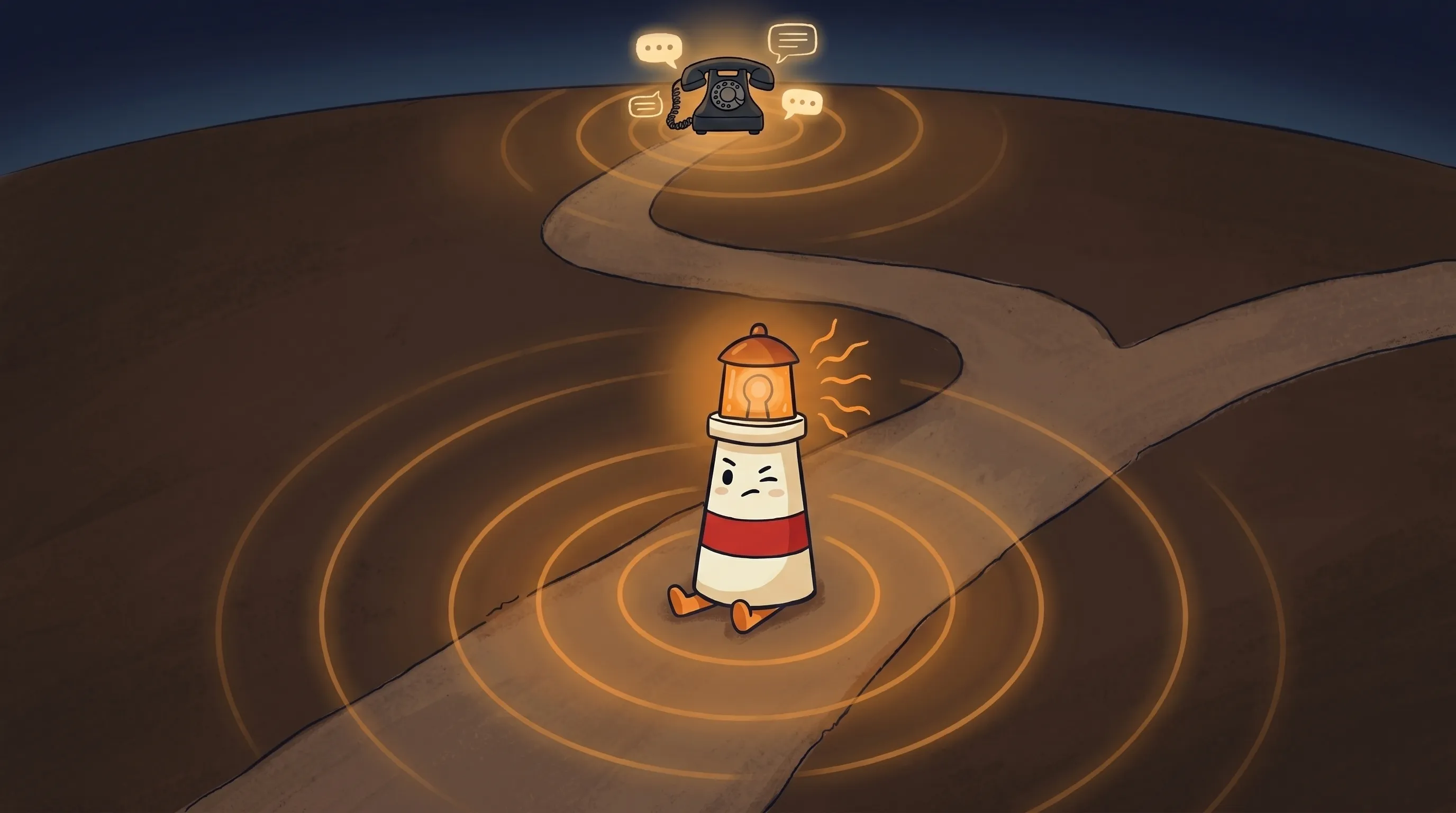 Some tools answer the phone. Others run your whole inbox. Beacon’s here to help you figure out which one your business actually needs.
AI Receptionist Software
✓ Inbound calls and live chat ✓ After-hours coverage ✓ New lead capture ✓ FAQ and booking intake ✓ Simultaneous call handling
✗ Existing client email threads ✗ Follow-up drafts ✗ CRM updates ✗ Context from past conversations
Best AI Virtual Assistant
✓ Inbox triage and prioritization ✓ Follow-up email drafts ✓ Existing client communication ✓ Context from files, notes, history ✓ Multi-app coordination
✗ Inbound phone calls ✗ Live chat coverage ✗ After-hours front-door presence ✗ First-touch lead capture
The short answer: AI receptionist software wins at first-touch inbound. The best AI virtual assistant wins at follow-through with existing customers. Neither one beats the other — they operate in different lanes.
The Question Nobody Asks Before Buying AI Receptionist Software
Here’s the thing most comparison guides skip. The question isn’t “which AI handles customer messages better?” The question is: “Where in my customer journey are messages actually getting dropped?”
We’ve seen this pattern repeatedly. A business owner buys an AI receptionist because they’re worried about missed calls. The AI answers the phone. Leads get captured. Then those leads sit in a spreadsheet for 3 days because nobody followed up. The front door is fixed. The hallway is still a mess.
The reverse happens too. Someone sets up a great follow-up system with their AI assistant — drafts ready, inbox organized — but new inquiries still go to voicemail and never get returned because the AI assistant doesn’t answer the phone.
The companies hitting 60–80% automated resolution on customer messages aren’t just using better AI. They’re solving both sides: inbound capture AND follow-through. The failure point, almost every time, is expecting one tool to do both jobs.
Where AI Receptionist Software Breaks Down
AI receptionist software is genuinely good at repetitive, high-volume, predictable call flows. After-hours intake. FAQ handling. Booking requests. Missed-call recovery. These are its strongest use cases.
It breaks down on:
- Sensitive or emotionally charged conversations — a client calling about a billing dispute, a patient calling with a health concern, anyone who needs to feel heard rather than processed
- Complex judgment calls — situations that require context, history, or a decision only you can make
- Unusual requests that fall outside its trained call flows — these either get mishandled or dropped to voicemail with no useful summary
- Situations where the wrong answer has real consequences — the AI might book a slot you’ve already mentally committed to something else
The practical rule: AI receptionist software should handle the calls you’d have a junior staff member handle. Anything that requires senior judgment — your judgment — still needs a human in the loop, at least for review.
Where AI Virtual Assistants Still Need Human Review
The best AI virtual assistants draft work. They don’t send it. That’s not a limitation — that’s the right model for anything going to a client.
Where they break down:
- When context is missing — if your files and notes aren’t organized, the drafts come out generic and still need significant editing before they’re usable
- When the stakes are high — pricing conversations, scope changes, anything where the wrong word costs you a client
- When they don’t have access to backend data — an assistant that can’t see your actual customer history is just autocomplete with extra steps
- When escalation isn’t defined — if the AI doesn’t know when to stop and hand something to you, it either over-handles or under-handles
The draft-first, approve-second model isn’t optional. It’s what keeps a useful tool from becoming a liability. For a deeper look at conversational AI for customer service — including where escalation logic matters most — that guide covers the failure modes in detail.
Cost: What You’re Actually Comparing
The price gap between AI tools and human alternatives is significant — and it’s worth being direct about the numbers.
AI receptionist software runs from about $9 to $79 per month at the entry end, with most service businesses landing around $150 to $250 per month for plans that handle real call volume. Human virtual assistants — part-time, 10–20 hours per week — typically run $500 to $1,500 per month depending on skill level and location.
The math isn’t really a comparison. At $200/month, an AI receptionist answers every call, every day, including the ones at 11 PM and the ones on holidays. A human VA at $500/month works business hours in their time zone. 24/7 coverage with a human requires multiple people.
But here’s the honest caveat: a human VA can handle judgment-heavy tasks. She can read between the lines of a difficult client email. She can make a call you haven’t thought to program. The AI is cheaper and always on — but it’s not better at everything. It’s better at the predictable, repeatable stuff.
Gartner’s research puts this in context: AI tools are expected to handle around 70% of customer support interactions automatically by 2027. That 70% is the predictable, repeatable stuff. The other 30% still needs judgment.
Your Monday Morning Decision Checklist
If you’re trying to decide which one to set up first, work through this in order.
- Track one week of dropped customer messages. Tally them by type: missed calls, unread emails, un-returned inquiries, follow-ups you meant to send. Which category has more?
- If missed calls and after-hours inquiries dominate — start with AI receptionist software. Budget $150–$250/month for a plan that handles real call volume, not just toy traffic.
- If existing client emails and follow-up threads dominate — start with an AI virtual assistant. Organize your files, templates, and customer notes first. The assistant drafts from what you give it; if you give it nothing, it produces generic output.
- If both categories are roughly equal — start with the AI receptionist. First-touch capture is harder to recover from than slow follow-through. A lead you never capture is gone. A follow-up that’s 24 hours late is survivable.
- Set a review threshold before you start. Decide upfront which messages the AI handles autonomously (booking confirmations, FAQ responses, intake forms) and which ones it drafts for your review (pricing questions, scope changes, anything from existing clients).
- Check the escalation logic in whatever tool you buy. If it can’t tell you when it’s about to handle something outside its lane, it will eventually mishandle something important.
One month in, check your resolution rate. The businesses getting 60–80% of customer interactions handled automatically aren’t using more expensive tools. They’ve defined the boundaries clearly and given the AI enough context to work from.
What This Means for Your Customer Message Stack
- AI receptionist software and AI virtual assistants solve different jobs — one covers the front door (inbound calls, live chat, after-hours), the other covers follow-through (existing client emails, drafts, CRM, calendar).
- The most common mistake is buying one and expecting it to do both. Map where your messages actually drop before you buy anything.
- AI receptionist software starts around $9–$79/month entry-level; most service businesses spend $150–$250/month. Human VA coverage costs $500–$1,500/month and doesn’t include nights or weekends.
- AI handles approximately 70% of predictable customer interactions well. The remaining 30% — sensitive calls, complex judgment, unusual requests — still needs human review before anything gets sent or decided.
- The hybrid model (AI for volume, human for judgment) is the practical answer for most small businesses right now. Start with whichever side has more dropped messages.
The business owners who figure this out first don’t end up with a perfect AI setup on day one. They end up with one less broken piece of their customer message flow — and then they fix the next one. The compounding advantage isn’t the AI. It’s the consistent follow-through that AI makes possible without burning more of your week.
Frequently Asked Questions
What's the difference between AI receptionist software and a chatbot?
Scope. A chatbot handles text on your website or app. AI receptionist software handles phone calls, live chat, and email — often all three at the same time. Both can run on similar underlying AI technology. The difference is which channels they cover and what they do when a customer reaches out.
Can AI receptionist software replace a human virtual assistant?
For routine, high-volume, predictable tasks — yes, at a fraction of the cost. For judgment-heavy work (sensitive client conversations, complex requests, anything that requires reading between the lines) — no. Most small businesses end up using AI for the volume and keeping a human in the loop for the 30% that needs real judgment.
What is the best AI virtual assistant for handling customer messages?
The best AI virtual assistant for customer messages is one that reads your actual business context — client history, email threads, your own templates and rules — before drafting anything. A tool that starts from a blank prompt every session is doing autocomplete, not assisting. Look for one that works from your files and notes, and that routes anything external through a review step before sending.
How much does AI receptionist software cost for a small business?
Entry-level plans start around $9–$79 per month. Most service businesses with real call volume land between $150 and $250 per month. Compare that to a part-time human VA at $500–$1,500 per month — without nights, weekends, or holidays included.
When should AI handle a customer message without human review?
For routine, predictable interactions: booking confirmations, FAQ responses, intake forms, after-hours call capture. For anything involving pricing, scope, sensitive information, or existing client relationships — the AI should draft it and a human should review before it goes out. Define those boundaries before you go live, not after something gets mishandled.
Sources
- BotChap: AI Receptionist vs. Virtual Assistant
- Central: AI Receptionist vs. Virtual Assistant
- Smallest.ai: AI Receptionist Buyer’s Guide 2026
- RingReady: AI Receptionist Buyer’s Guide
- Shulex VOC: AI Receptionist vs Chatbot
- VoiceFleet: AI Powered Receptionist 2026 Buyer Guide
- LiveAgent: AI Customer Support Assistant Guide
- Tested.media: AI Receptionist for Small Business
- Operator Collective: AI Agent for Customer Service
- VoiceFleet: AI Receptionist vs Virtual Receptionist 2026
- Runner: AI Virtual Assistant 2026
Related Articles

AI front desk software vs answering service for small business

Best AI Virtual Assistant for Small Business: Email, Follow-Ups, and Owner Approval Compared