
AI front desk software vs answering service for small business
On this page
Your competitor’s phone rings at 9 PM on a Tuesday. A homeowner just found water coming through the ceiling. The call is answered in two rings. By 9:03, a booking confirmation is in the homeowner’s inbox. By 9:05, they’ve stopped thinking about calling anyone else.
Your phone goes to voicemail. The homeowner hangs up without leaving a message — 85% of callers do — and scrolls to the next result. That job, probably a $2,000–$4,000 emergency repair, goes to whoever answered.
That’s the gap this comparison is actually about. Not technology. Not features. The gap between a business that captures after-hours demand and one that doesn’t. AI front desk software and traditional answering services are both trying to close that gap — they just do it in very different ways, at very different price points, with very different tradeoffs. If you’re exploring options for an AI answering service for small business, here’s what the numbers actually show.
The Real Cost of a Missed Call
Before the product comparison, the math on inaction.
Roughly 62% of calls to small businesses go unanswered. Of those callers, 85% don’t leave a voicemail — they call your competitor instead. That’s not a voicemail problem. That’s a revenue leak that happens every day the phone goes unattended.
Speed matters too, and the numbers are stark. Responding to a missed call within 5 minutes increases lead qualification rates by up to 21x compared to waiting 30 minutes or more. In legal intake specifically, leads answered in seconds convert at 40–50%. The same lead called back the next day? 2–5%.
That 21x difference exists across nearly every service business — HVAC, plumbing, landscaping, legal, therapy, home services. The caller who doesn’t hear back in minutes is usually already talking to someone else.
What AI Front Desk Software Actually Does for Small Business
An AI receptionist for small business isn’t a chatbot you visit. It’s software that picks up your phone, handles the conversation, collects caller information, and — depending on the tool — books the appointment directly into your scheduling system.
The structural differences from a traditional answering service are significant.
Simultaneous calls
AI handles unlimited concurrent calls. A storm hits and 15 people call at once — AI answers all 15. A human answering service puts most of them on hold or sends them to voicemail.
24/7/365 coverage with no premium rate
Traditional answering services often charge more for nights and weekends. AI doesn't have a shift. Tuesday at 2 AM costs the same as Monday at 10 AM.
Flat monthly pricing
No per-call or per-minute billing. A busy week doesn't turn into a surprise invoice. Your best month doesn't become your most expensive one.
System access
AI tools can connect to your scheduling software — ServiceTitan, Jobber, or a calendar — and actually book appointments. A traditional answering service operator has no access to your systems. The very best they can do is take a message.
Automated follow-up
If a caller hangs up before the conversation ends, AI front desk tools can send a follow-up text automatically — within seconds, not the next business day.
The missed call follow-up automation piece alone changes the math for most service businesses. A caller who hangs up at 11 PM gets a text at 11:00:30. That window — before they’ve booked someone else — is when you want to be in their inbox.
For a deeper look at how AI handles inbound conversations across different business types, the conversational AI guide for customer service walks through what to expect by industry.
Where a Traditional Answering Service Still Wins
Here’s the part most AI-enthusiast comparison guides skip.
Human answering services earn their premium in exactly one situation: the first 30 seconds of a call where a real person is needed. A caller who is distressed, confused, or in crisis doesn’t want a smooth AI voice reading from a script. They want to feel heard by another human being.
Specific scenarios where a human operator still has a meaningful edge:
- Emotionally sensitive calls — grief, domestic situations, mental health crises — where empathy in the first 30 seconds determines whether the caller stays on the line
- Legal intake that requires live judgment about case viability or urgency that falls outside a standard intake script
- Healthcare situations where a caller is describing symptoms that might indicate an emergency and needs a human to escalate appropriately
- Complex custom quotes or contract discussions where a human can probe, negotiate, and commit in real time
If your business regularly handles calls in those categories, a human answering service — or a human on your own team — belongs somewhere in the process. The question is whether they need to be the first line or the escalation point.
For most owner-led service businesses — plumbers, landscapers, consultants, therapists in private practice, home services — the majority of incoming calls are appointment requests, quote inquiries, and scheduling changes. AI handles those well. The emotionally complex calls are a fraction of volume. The hybrid approach routes routine calls to AI and flags complex ones for human follow-up.
AI Front Desk Software vs Answering Service: Cost Comparison
The billing models are structured differently enough that a direct cost comparison requires some unpacking.
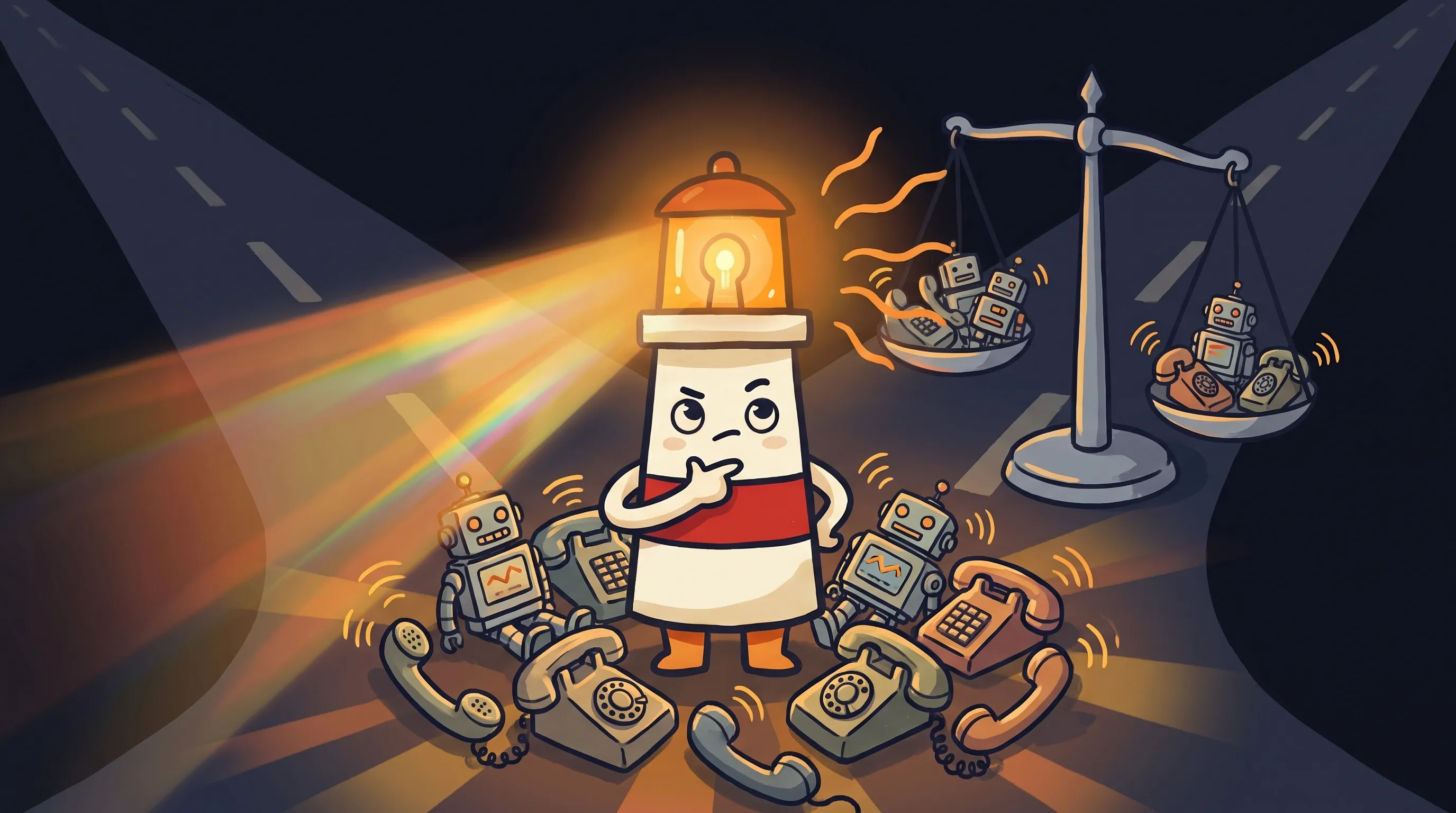
 Some decisions feel like a coin flip — but the right light makes all the difference.
Traditional answering services typically charge $1–$2 per minute, sold in monthly bundles. A local service business burning 400 call-minutes per month pays $400–$800. Go over your bundle during a busy week and overage minutes bill at a premium. Your best month operationally becomes your most expensive month on the invoice.
AI front desk software runs on flat monthly pricing, typically $49–$299 per month depending on the tool and call volume, with 24/7/365 coverage and no per-call fees. Overall, AI solutions tend to cost 40–70% less than a comparable traditional answering service.
For context on the full hiring alternative: a full-time in-house receptionist costs $35,000–$50,000 per year in salary, plus $10,000–$15,000 in benefits and overhead. And that person is still unavailable roughly 30–40 days per year due to sick days, vacation, and breaks. AI doesn’t call in sick.
None of this means the cheapest AI option is always the right one. The quality of intake conversations, integration with your scheduling system, and the accuracy of follow-up messages all matter. But on cost structure alone, the math favors AI front desk software for most volume levels.
AI Receptionist Setup vs Answering Service: How Long Does It Actually Take?
Setup time is a practical consideration that doesn’t get discussed enough.
Traditional answering services typically take 1–2 weeks to onboard — scripting calls, training operators, configuring routing, and testing. Call centers can take weeks to months. If you’re trying to stop losing calls this week, that timeline doesn’t help.
AI receptionist tools for small business can be configured in as little as 15 minutes to a few hours. Most require you to define your business hours, the questions the AI should ask, and how escalations should be routed. Some connect directly to scheduling tools during setup.
That speed matters for a second reason beyond convenience: you can test and adjust quickly. If the AI is asking a question callers find confusing, you change the script today. With a traditional answering service, script changes go through their process on their timeline.
What Should Still Need Your Approval Before It Goes Out
AI front desk software is good at intake. It’s less suited for decisions that carry financial or contractual weight.
The practical rule: anything the AI handles in the intake phase — collecting contact information, asking about the service needed, confirming availability, sending a booking confirmation — is low-risk territory. The AI is gathering information and communicating your standard process.
The situations that warrant a review step before anything goes out:
- Custom pricing — if a caller is asking for a quote that falls outside your standard rate card, that number should come from you, not an AI improvising
- Contractual commitments — any language that implies a scope of work, a guarantee, or a timeline should go through your review before it’s in writing
- Sensitive escalations — if a caller describes a situation that’s legally or medically sensitive, the response to that caller warrants a human judgment call
- Exceptions to your standard policy — discounts, payment arrangements, or accommodations that aren’t part of your normal intake flow
The winning implementation isn’t ‘replace the front desk entirely.’ It’s ‘protect the revenue moments your front desk can’t consistently cover’ — the after-hours call, the simultaneous surge, the missed call that needed a follow-up text in 60 seconds. Let AI own that territory. Keep human judgment in the loop for anything involving money, commitments, or crisis.
If you’re thinking about a broader setup where AI helps draft follow-ups and customer messages while you review before anything goes out, the AI virtual assistant category covers that coordination model in more depth.
AI Front Desk vs Answering Service: Side-by-Side
AI Front Desk Software
✓ Unlimited simultaneous calls ✓ 24/7/365, no premium rate ✓ Flat monthly pricing ($49–299/mo) ✓ Automated missed call follow-up text ✓ Can book appointments directly ✓ Setup in 15 minutes to a few hours ✓ Instant script changes
✗ Less suited for emotionally complex calls ✗ Custom pricing still needs owner review ✗ Quality varies widely by tool
Traditional Answering Service
✓ Human empathy for sensitive calls ✓ Live judgment for escalations ✓ No setup on your end for basic scripting
✗ Per-minute billing, overage fees ✗ Limited to operator staffing capacity ✗ No system access — can only take messages ✗ 1–2 week setup time ✗ Premium rates for nights/weekends ✗ Cannot book appointments
Your Monday Morning Checklist: Switching to AI Front Desk Software
If you’ve decided to test AI front desk software for your service business, here’s a practical starting sequence.
- Count last month’s missed calls and voicemails — this is your baseline. If it’s more than 10–15 per week, that’s the problem you’re solving.
- List the 5 most common questions callers ask your business. These become the core of your AI intake script. If you can’t list them in 5 minutes, pull your last 20 voicemails.
- Identify your 2–3 escalation triggers — the specific situations where you want a human involved immediately (custom quotes over a certain dollar amount, emergency situations, return callers with an active complaint). Write these down before you configure anything.
- If your tool connects to your scheduling software, set that up before going live. A missed call follow-up text that says ‘we’ll call you back tomorrow’ is fine. One that books the appointment is better.
- Run the AI on a test phone number for 48–72 hours before forwarding your main line. Call it yourself. Have a friend call it with your three hardest scenarios.
- If you’re replacing a traditional answering service, give 30 days notice and run both in parallel for 2 weeks. Compare booking rates and caller satisfaction before you cut over.
- Set a 30-day check-in: How many calls answered? How many bookings completed by AI vs. escalated? What questions is the AI getting wrong? Adjust the script. The first version won’t be the final version.
What This Means for Owner-Led Service Businesses
- 62% of small business calls go unanswered, and 85% of those callers don’t leave a voicemail — they call a competitor. AI front desk software is designed to close that specific gap.
- Responding within 5 minutes increases lead qualification rates by up to 21x. Automated missed call follow-up texts are the fastest way to hit that window without hiring anyone.
- AI front desk solutions cost 40–70% less than traditional answering services and handle unlimited simultaneous calls with no per-minute overage fees.
- Traditional answering services retain a genuine edge for emotionally sensitive calls and situations requiring live human judgment in the first 30 seconds.
- The practical winning model for most owner-led service businesses: AI for routine intake and booking, human review for custom pricing, contractual commitments, and sensitive escalations.
- Setup for AI receptionist tools takes 15 minutes to a few hours. A traditional answering service takes 1–2 weeks. If you’re losing calls now, the setup timeline matters.
Frequently Asked Questions
Is AI front desk software reliable enough for a real service business?
For routine intake — appointment requests, quote inquiries, scheduling changes, after-hours messages — yes, current AI front desk tools handle these consistently. The reliability question matters more for complex scenarios: emotionally sensitive calls, custom pricing discussions, or situations outside your standard script. Those are the cases where human review still belongs in the process.
What happens when someone calls about something the AI doesn't know how to handle?
Most AI front desk tools have an escalation path built in. When a call falls outside the configured script, the system routes it — to you, to a voicemail with immediate notification, or to a follow-up text asking the caller to hold for a callback. The key is defining your escalation triggers before you go live, not after a confused caller gets a bad experience.
Can an AI answering service for small business actually book appointments, or just take messages?
This depends entirely on the tool. Some AI front desk platforms integrate directly with scheduling software like Jobber, ServiceTitan, or Google Calendar and can complete bookings in the call. Others — and most traditional answering services — can only take a message. If booking is your goal, verify the integration before you commit to a platform.
How does AI receptionist pricing work compared to per-minute answering services?
AI front desk software typically charges a flat monthly rate — usually $49–$299/month depending on call volume and features. Traditional answering services charge $1–$2 per minute in monthly bundles, which works out to $400–$800/month for a business handling 400 call-minutes. AI is generally 40–70% cheaper, and your bill doesn’t spike during your busiest weeks.
Should I keep a traditional answering service for any calls?
If your business regularly handles calls involving grief, mental health, legal crisis, or medical emergencies, a human answering service or a trained staff member should handle those — either as the first line or as a clear escalation path from AI. For the majority of service businesses where most calls are scheduling and intake, AI handles the volume well and reserves human judgment for situations that genuinely require it.
What is missed call follow-up automation and how does it work?
Missed call follow-up automation is software that detects when a caller hangs up before being helped and sends them a text message — usually within seconds. The text typically acknowledges the missed call and offers a booking link or asks what they need. Because 85% of callers who reach voicemail don’t leave a message and instead call a competitor, catching them with a text in the first 60 seconds is often the difference between keeping the lead and losing it.
Sources
- AI Receptionist vs Answering Service — ZenOp
- AI Receptionist vs. Answering Service: Which One Books Jobs? — Media Spearhead AI
- How to Automate Your Front Desk With AI in 2026 — Orbilontech
- AI Receptionist for Small Business: The Complete 2026 Guide — NetworkSIP
- How to Automate Follow-Up After Missed Calls — Signpost
- AI Receptionist vs. Traditional Answering Service: 2026 Comparison — VoiceCharm
- AI Receptionist vs. Answering Service vs. Call Center — UseGreet
- AI Receptionist vs Human Answering Service — Phone2
- AI Receptionist vs. Answering Service: Which Is Better? — Vida AI
- AI Answering Service: Small Business Guide — Aslan Intelligence
Related Articles

How to Set Up a Personal AI Assistant for Customer Follow-Ups Without Losing Approval Control

AI Assistant Safety Checklist for Small Business: Review Before Send
