
Personal Assistant AI: The Complete Guide to AI Assistants in 2026
On this page
Personal assistant AI now means more than a chat window with a better model. It means memory, workflow context, and enough integration to do more than answer questions. If your “assistant” still needs you to open a tab, paste your context, and manually carry the output into email or calendar, you are still doing most of the work yourself.
A useful personal AI assistant should know your priorities, understand the current state of your work, and help move it forward. That can look like drafting replies, preparing a meeting brief, surfacing follow-ups, or staying live inside the tools you already check. Once that starts happening, you are no longer comparing generic chatbots. You are comparing AI virtual assistants, personal AI assistants, and the first layer of AI automation.
This guide explains where that line is, what capabilities matter, and when it makes sense to move from a smart chat tool to a true AI agent platform or a broader agentic AI setup.
If you want a solid foundation on what these tools can do before diving into the comparison, our guide to personal AI assistants covers the category from the ground up. But if you’re here to understand what separates a genuinely useful AI from an expensive autocomplete, keep reading.
What Actually Separates a Personal AI Assistant from a Chatbot
Here’s the line that matters: a chatbot starts fresh every time you talk to it. A personal AI assistant accumulates context. It builds a picture of you — your preferences, your projects, your communication style — and uses that picture to be more useful the next time, and the time after that.
ChatGPT has more than 200 million weekly active users as of 2026. Most of them use it like a very smart search engine. They ask questions, get answers, and close the tab. That’s fine — but it’s not an assistant. It’s a chatbot. A brilliant one. But it doesn’t know your name unless you tell it, doesn’t know your schedule unless you paste it in, and doesn’t know your preferences unless you explain them fresh every single session.
200 million users. That’s a lot of people copy-pasting context every morning. That’s a lot of time lost rebuilding the same background for a tool that should already know it.
A personal AI assistant solves this with persistent memory — the ability to carry context forward across days, weeks, and months. Combined with calendar and email access, you stop briefing your AI and start relying on it.
Persistent Memory
Remembers your preferences, projects, and communication style across sessions — no re-explaining required.
Proactive Action
Takes useful steps without being explicitly asked — drafting emails, prepping meeting briefs, flagging deadlines.
Tool Integration
Connects to your calendar, inbox, task manager, and other software to take real action on your behalf.
Multi-Step Execution
Completes tasks that require several sequential steps — not just answering a question, but doing the thing.
What Changed in 2026: The Year AI Assistants Grew Up
We’ve been watching the AI assistant space since the first GPT APIs went public. For years, the honest answer to ‘can AI handle this for me?’ was ‘sort of, if you’re willing to babysit it.’ That answer changed this year.
Three shifts happened in 2026 that moved the needle from ‘impressive demo’ to ‘actually useful.’
First: memory became an expected feature. The major assistant products now compete on how much context they retain and how usefully they apply it across future sessions.
Second: multi-step task execution became more common. The shift from “answer my question” to “help me complete the task” is what moved this category closer to agents.
Third: security and controls improved enough that these products are being evaluated as real work infrastructure, not just experimentation tools. That matters if your assistant will touch client data, email, or scheduling.
The Tool Breakdown: Who’s Best for What in 2026
There’s no single best personal assistant AI. There’s the right one for your situation. Here’s an honest breakdown of the major players.
Claude, from Anthropic, stands out for anyone dealing with long documents. Its 200,000-token context window — roughly 150,000 words, or a full novel — means it can read an entire contract, a month of meeting notes, or a research report and reason across the whole thing without losing the thread. Free tier available, or $20/month for the full version.
Microsoft Copilot at $30/month is the obvious choice if your work life runs on Microsoft 365. It’s embedded in Word, Excel, Outlook, and Teams. For anything outside that ecosystem, it’s noticeably less useful.
Apple Intelligence is fast, private, and already on your iPhone. The on-device processing means your data doesn’t leave your phone for basic tasks. The limitation is real, though: it stays inside Apple’s ecosystem. It can’t check Slack, manage Notion, or interact with any third-party tools. If your work crosses platforms — and most people’s does — it covers maybe 40% of what you actually need.
Otter.ai does one thing extremely well: meeting transcription. At roughly 90% accuracy, it captures what was said, who said it, and what actions were agreed to. That’s genuinely useful if you’re in back-to-back meetings and need a reliable record. But it’s a single-purpose tool — it won’t manage your email or follow up on tasks.
And that last point leads directly to the thing most guides won’t tell you.
The Real Bottleneck Isn’t Which AI You Choose
Here’s what the evidence actually shows: multi-function AI platforms — tools that handle scheduling, email, research, and follow-ups from one place — save dramatically more time per week than any single-purpose tool, even when each single-purpose tool performs well on its own.
That sounds counterintuitive. Shouldn’t the best transcription tool plus the best email tool plus the best scheduling tool equal the best setup? The math doesn’t work that way. Context-switching between five apps costs you hours you don’t notice losing. You switch to Otter for meeting notes, then switch to your email client to send a follow-up, then switch to your calendar to reschedule, then switch to Notion to update the project tracker. Each switch is 5-10 minutes of lost momentum. Across a week, it adds up to half a day.
But that’s still not the main issue.
The thing nobody says plainly: if you have to explicitly ask for everything, it’s a chatbot, not an assistant. The defining characteristic of a real personal assistant AI is proactive behavior — it takes useful action without being told. It checks your inbox before you ask. It prepares your meeting brief without a prompt. It notices the overdue follow-up and handles it.
Most tools on the market right now are excellent chatbots that happen to have memory. Very few are proactive agents that happen to respond to questions. The difference sounds subtle. In practice, it’s everything.
This is the lane BrainRoad addresses with hosted OpenClaw and Hermes assistants, a managed email identity, read-only Business Brain context, and a durable review record for outbound actions. WhatsApp, Signal, iMessage, and the runtimes’ other capabilities remain available for owner configuration.
Where Personal AI Assistants Still Fall Short
We’ve been deploying AI agent infrastructure long enough to know the failure modes. These aren’t theoretical — they’re the things that actually break in production.
- Ecosystem lock-in is real. Apple Intelligence can’t touch Slack. Copilot lives and dies in Microsoft 365. If your workflow spans multiple platforms, any assistant with tight ecosystem restrictions will cover only part of your day.
- Memory without integration is half the job. An assistant that remembers you but can’t take action on your behalf is a very personalized search engine. Memory matters most when it’s connected to real tools.
- Single-purpose tools create a hidden tax. Great at one thing, useless at everything else — and the context-switching cost is real. You lose hours you don’t notice until you stop.
- Proactive behavior is rare. Most platforms still require explicit prompts. Genuine proactivity — the assistant acting on your behalf without being asked — is present in very few tools on the market today.
- Security needs active configuration. Even with SOC 2 now baseline on major platforms, least-privilege access (limiting what your AI can touch) and audit trails require deliberate setup. They’re available, but not automatic.
- Hallucinations happen. The technology behind these tools sometimes makes up information that sounds completely true. For factual tasks — research, contract review, scheduling — always verify before acting.
How to Pick the Right Personal AI Assistant
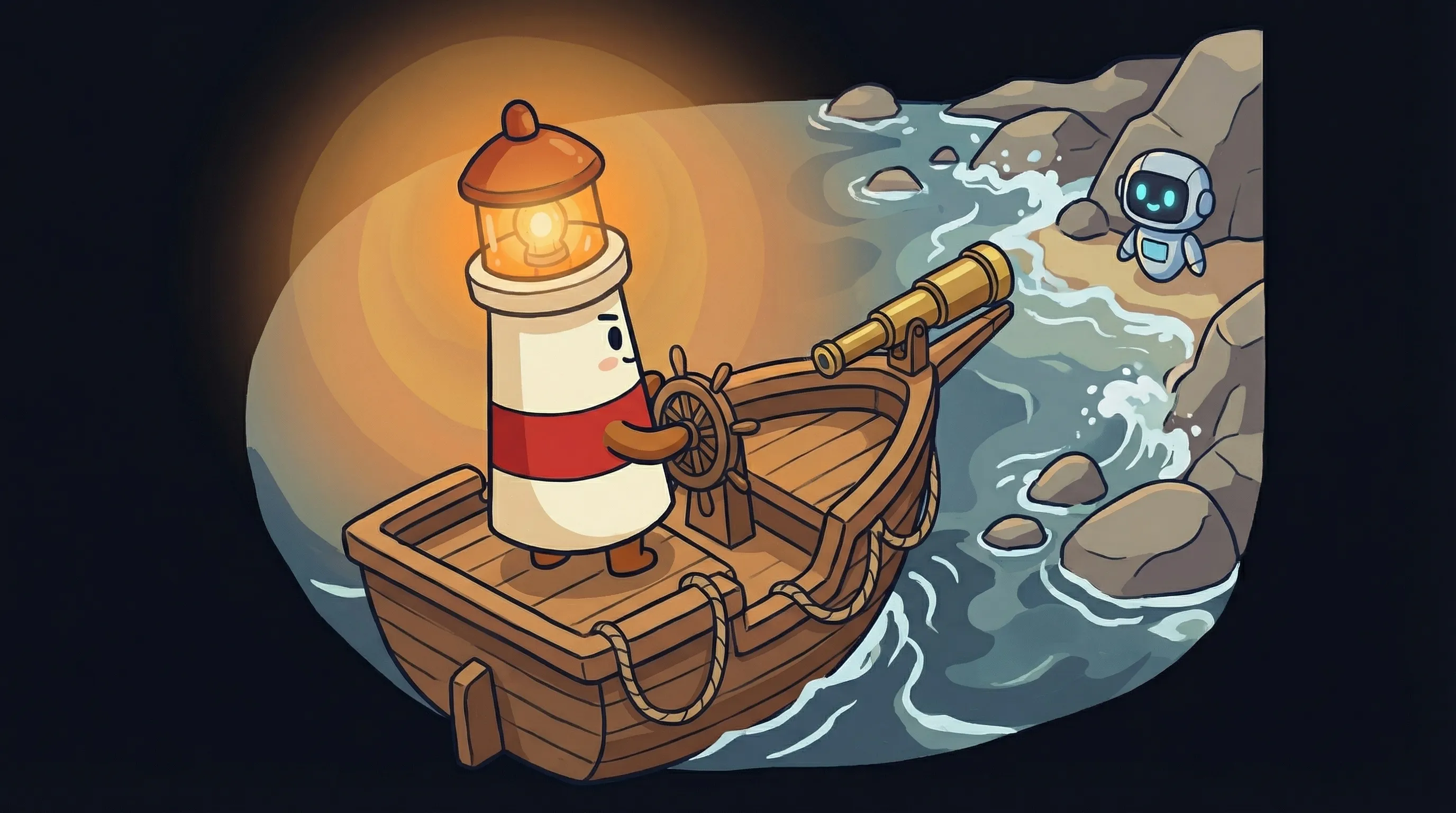
 Beacon says: a great AI assistant doesn’t just answer your questions — it learns which ones to ask for you.
The honest answer: choosing the best personal assistant AI isn’t about finding a single winner. It’s about fit across six dimensions. A tool that’s perfect for a solo consultant is wrong for a 200-person enterprise security team.
Run each candidate through these filters before committing:
- Accuracy — Does it get things right? Test it on the actual tasks you’ll use it for, not demo scenarios.
- Latency — How fast does it respond? For real-time tasks like meeting prep or live email drafting, speed matters.
- Cost — What’s the monthly total, including API usage? Most platforms show the subscription cost but not the usage cost.
- Security — Does it meet your compliance requirements? SOC 2 is baseline now, but audit logging and access controls need active setup.
- Integrations — Can it actually connect to the tools you use? Check the integration list, not the marketing page.
- Adoption — Will you and your team actually use it? The best AI assistant is the one that fits your existing workflow, not the one that requires you to change everything.
For a broader look at how these platforms compare on architecture and hosting, our AI agent platform guide covers the infrastructure decisions in more depth. And if you’re curious about what makes agentic AI different from regular automation, that’s worth a read before you commit to any platform.
Your First Week With a Personal AI Assistant: What to Actually Do
Most people set up an AI assistant, try it twice, and drift back to their old habits. Here’s how to avoid that.
Start with one workflow, not everything
Pick the single most painful daily task — inbox triage, meeting summaries, or lead follow-ups. Don't try to automate your whole life in week one. Nail one thing first.
Set your baseline metrics before you start
Time how long that task takes you manually. You need the before number to know if it's working. Target KPIs: time saved per task, how fast actions happen after meetings, how many emails you handle manually vs. AI-handled.
Configure memory and context on day one
Don't skip this. Tell your assistant your role, your priorities, your communication preferences, and your most common workflows. This is a one-time investment that pays off every day after.
If you're on a free tier, start read-only for 48 hours
Let the assistant observe before it acts. Review its drafts and suggestions for two days before granting send or schedule permissions. Build trust with the tool before giving it autonomy.
Set up audit logging before anything else if this is for work
Even on platforms where SOC 2 is now standard, audit trails and least-privilege access controls require deliberate setup. Do this in the first hour — not as an afterthought.
Review at the 7-day mark with real numbers
How many minutes did you save on your target workflow? If it's under 30% time savings on that specific task, dig into why before expanding. If it's 50%+, add a second workflow.
Only scale what's working
The goal at 30 days isn't 'full automation.' It's knowing exactly which tasks your assistant handles better than you, and which ones still need your judgment. Scale the first category. Keep the second.
The Cost of Waiting Another Quarter
The teams that figured this out in 2025 have spent 2026 compounding the advantage. They have AI assistants that know their clients, their workflows, their preferences. Those assistants get better every week — not because the model changes, but because the context deepens.
The teams that are still evaluating are starting from zero. Every week of delay is a week of context your assistant won’t have. Memory-based AI compounds — the longer it runs, the more useful it becomes. That’s the math that changes the decision.
The question isn’t whether personal AI assistants work. The evidence on that is clear. The question is whether you can afford to keep doing the repetitive parts of your job manually while everyone around you isn’t.
Try a Personal AI Assistant That Keeps Working
BrainRoad builds the private Business Brain your AI helper drafts from, with review before anything sends. Free for 30 days, no credit card.
Start Free TrialWhat This Means for Your AI Assistant Decision
- The line between chatbot and personal AI assistant is persistent memory plus proactive behavior — both matter, and most tools on the market only have one.
- In 2026, the major assistant products compete on memory, multi-step execution, and deeper workflow access rather than simple chat quality alone.
- Multi-function platforms consistently outperform the best combination of single-purpose tools because context-switching has a real, measurable time cost.
- Claude’s 200,000-token context window makes it the strongest option for long-document work; Copilot ($30/month) dominates for Microsoft 365 shops; Otter.ai (~90% transcription accuracy) is best-in-class for meeting capture.
- Proactive behavior — the AI acting without being asked — is the clearest signal that you have an assistant rather than a chatbot. Test for this before committing.
- Start with one workflow, measure the time savings after 7 days, and only expand to additional workflows when the first one is running reliably.
Frequently Asked Questions
What's the difference between a personal AI assistant and ChatGPT?
ChatGPT is a chatbot — it starts fresh every conversation and waits for you to ask it something. A personal AI assistant accumulates context over time (it remembers your preferences, projects, and working style) and takes proactive action without being explicitly prompted. ChatGPT can become more assistant-like with memory features enabled, but its default mode is reactive, not proactive.
How much does a personal AI assistant cost in 2026?
Costs vary widely by platform and usage. Claude and ChatGPT both offer free tiers with paid plans starting at $20/month. Microsoft Copilot is $30/month for Microsoft 365 integration. Otter.ai starts free with paid tiers from $17/month. Platforms that include agent hosting and 24/7 operation (like BrainRoad) typically add a hosting cost on top of the underlying AI provider fees. Total monthly cost for a personal AI agent setup usually runs $50-80/month all-in.
Is it safe to give an AI assistant access to my email and calendar?
Yes, with the right configuration. Major platforms in 2026 include SOC 2 compliance as a baseline. The key steps are: enable audit logging so you can see what your AI did, configure least-privilege access so it can only touch what it needs to, and start in read-only mode for the first 48 hours before granting send or schedule permissions. These aren’t restrictions — they’re the foundation of a trustworthy setup.
Can a personal AI assistant work on WhatsApp or Signal?
BrainRoad hosts OpenClaw and Hermes, so their messaging integrations for WhatsApp, Signal, iMessage, and other channels remain available. The owner configures those paths; managed email is ready in BrainRoad with review in the dashboard.
How is a personal AI assistant different from Apple Intelligence?
Apple Intelligence is fast and private because it processes data on-device. But it’s limited to Apple’s ecosystem — it can’t interact with Slack, Notion, Gmail, or most third-party tools. A platform-agnostic personal AI assistant works across your entire toolstack, regardless of whether those tools are made by Apple. If your workflow crosses platforms (most do), Apple Intelligence covers a limited portion of what you actually need.
Related BrainRoad guides
Sources
- Best AI Personal Assistants in 2026: 12 Tools Compared — Miniloop
- The Complete Guide to Personal AI Assistants in 2026 — Ask Lee
- AI Assistant Capabilities in 2026 — Arahi AI
- AI Personal Assistant 2026 Guide — MrDelegate
- 12 AI Personal Assistants That Actually Do the Work — Use Carly
- Best AI Assistant (2026): Ultimate Guide — Skywork
- 7 Best AI Personal Assistants in 2026 — Ask Lee


