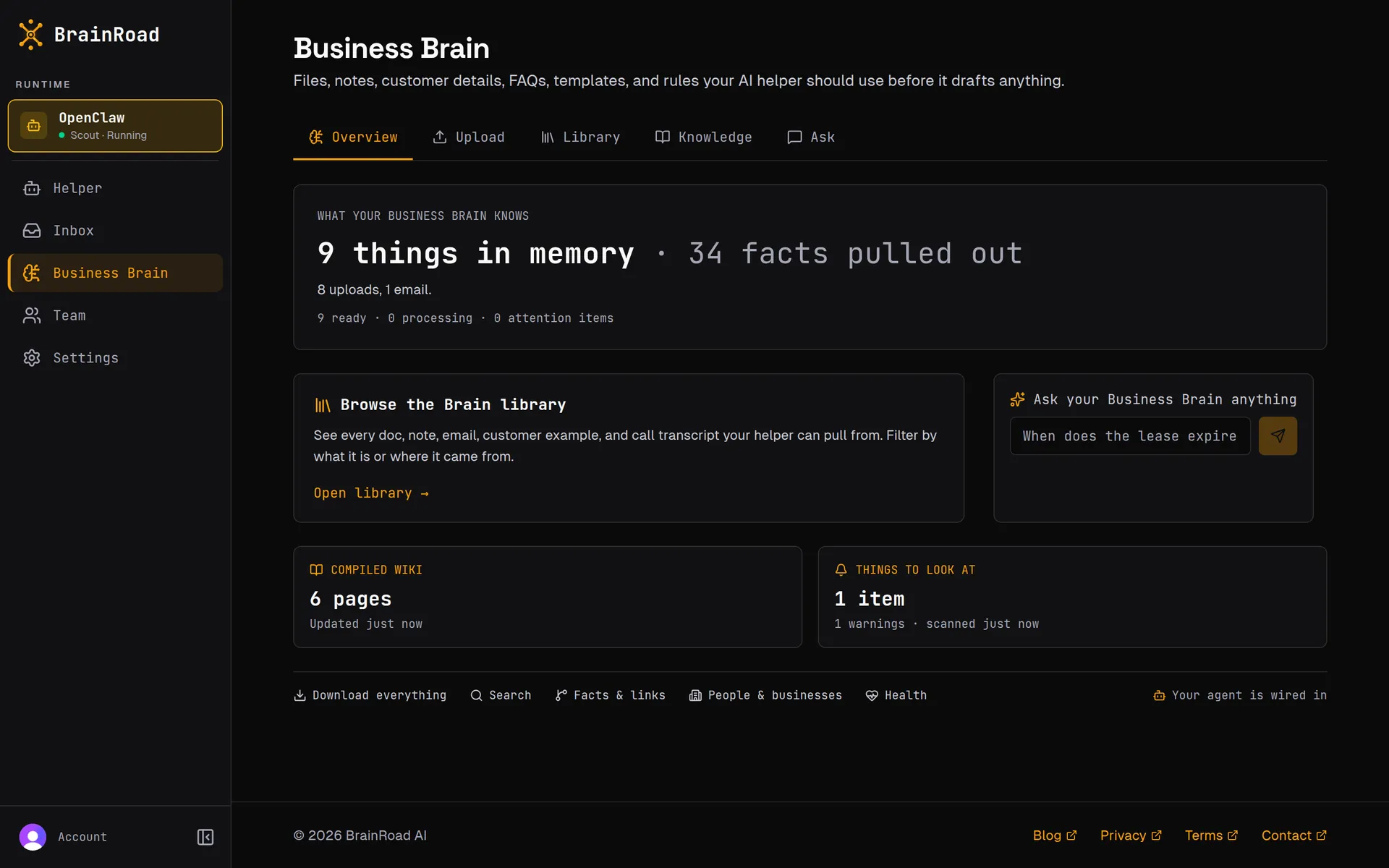
Step 1
Build the Brain
Add the files, notes, prices, policies, examples, and customer context the helper should use. BrainRoad keeps each account separated.
Real product walkthrough
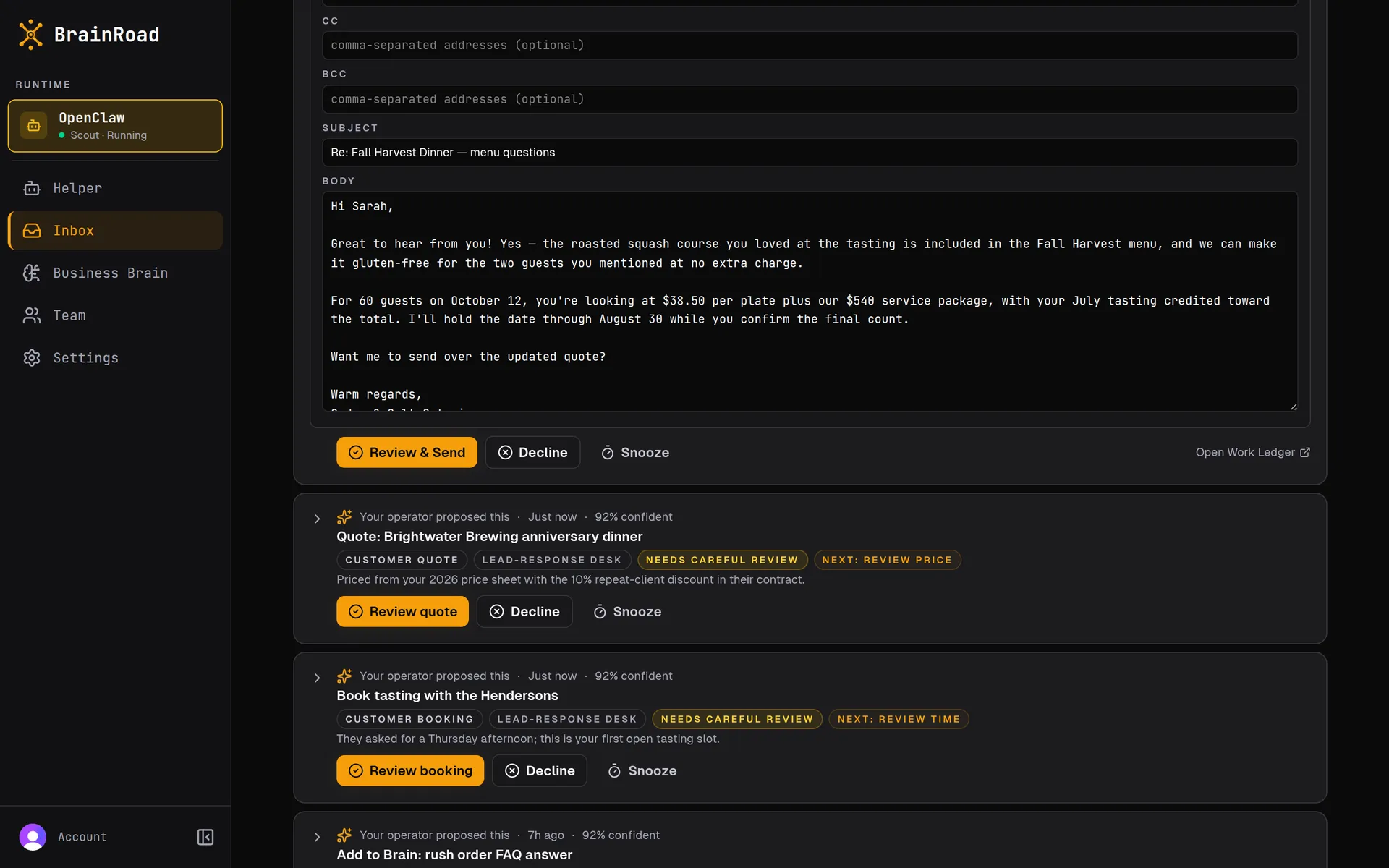
These are real BrainRoad dashboard screens, not a concept mockup. See how business files become searchable context, how answers point back to their sources, and where managed customer work waits for a decision.
Step 1
Add the files, notes, prices, policies, examples, and customer context the helper should use. BrainRoad keeps each account separated.
Step 2
Ask a business question and inspect the linked source records behind the answer instead of trusting a confident sentence on its own.
Step 3
Edit, approve, or decline managed customer work in Triage. Narrow earned trust is available later for repeated low-risk email replies.
Real screens from the dashboard: a private Brain built from your files, answers you can check, and an inbox where the work waits for your okay
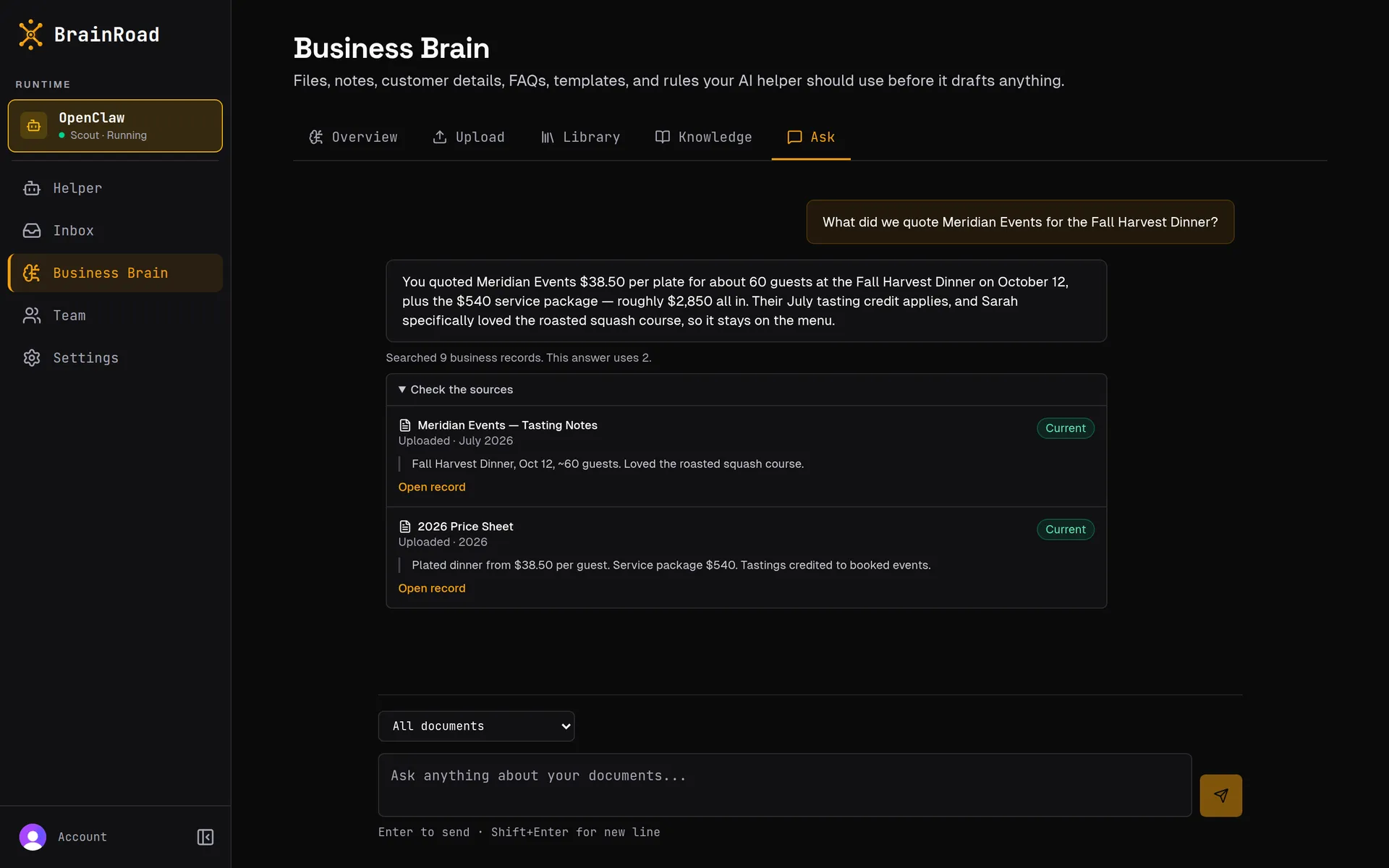
"What did we quote Meridian Events?" Answered in seconds, with the price sheet and tasting notes it came from linked right under the answer — so you can check the sources before you trust it.
The lead-reply preview runs entirely in your browser and shows how approved facts and review rules change a customer response. Nothing is submitted, saved, or sent.