Personal AI Hardware Platforms Are Coming: What to Watch Next
On this page
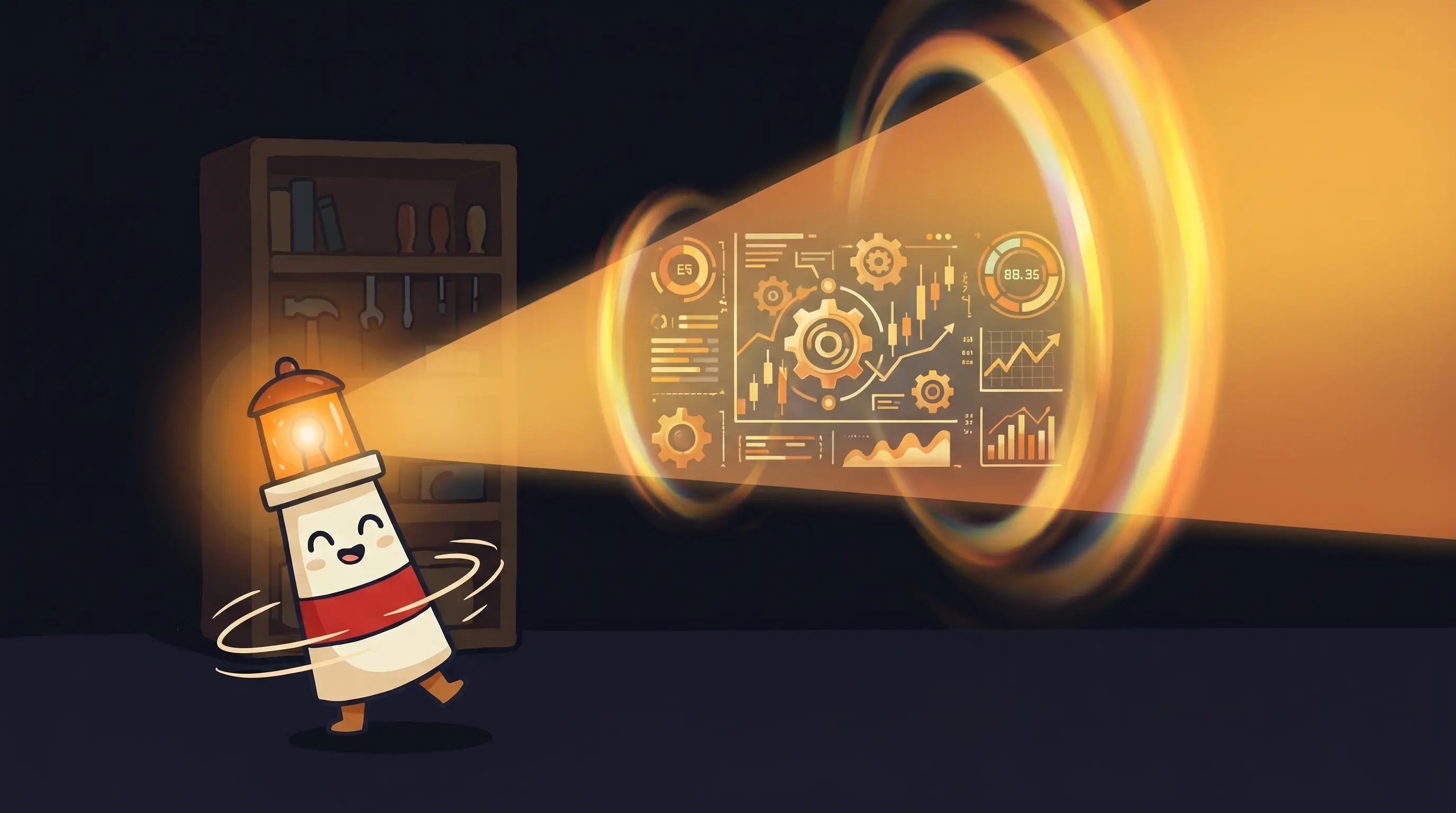
If your personal AI assistant still lives entirely in a cloud sandbox, it is cut off from half your real work. It can draft emails about your projects but cannot open the project folder. It can help you think through a proposal but cannot see the draft sitting on your machine.
That gap has been the quiet limitation for two years. Cloud agents are powerful. They are also blind to anything that is not in a browser tab or synced SaaS app. We have been building around that constraint without questioning it.
Something is changing. In March 2026, Perplexity used Ask 2026 to introduce a deliberately confusing product name: ‘Personal Computer.’ The name matters less than the pattern. A personal AI assistant is starting to get its own always-on machine, its own local context, and its own supervised execution path.
What ‘Personal Computer’ Actually Means
Before you picture Perplexity shipping boxes with circuit boards, stop. Personal Computer is software. Perplexity is not manufacturing a device.
Here’s what it actually is: you take a Mac mini — a machine you probably already own or can buy for a few hundred dollars — leave it running on your desk, and Perplexity’s platform connects to it remotely. From that point, your AI agent has continuous, always-on access to your local file system, your desktop apps, and real-time triggers from your machine. You can control it from your phone, your laptop, or anything else.
As of March 2026, access is restricted to Perplexity Max subscribers at $200 per month, which includes 10,000 monthly compute credits. It’s Mac-only at launch. The price will filter out most casual users for now — but that’s not the point. The point is the architectural pattern it represents.
Perplexity CEO Aravind Srinivas put it plainly at Ask 2026: ‘A traditional operating system takes instructions; an AI operating system takes objectives.’ That sentence captures the shift better than the spec sheet. If you’re exploring what agentic AI or a true personal AI assistant looks like in practice, this is one of the clearest live examples so far.
The Architecture Underneath the Name
Personal Computer uses a local-cloud hybrid architecture. The local piece — your Mac mini — handles file access, desktop app integrations, and real-time triggers. The cloud piece handles the heavy AI orchestration. Perplexity routes tasks across more than 20 AI models, with Anthropic’s Claude serving as the central orchestrator.
The integrations at launch include Notion, GitHub, and Salesforce. Sensitive actions require explicit user approval before executing. Every session generates a full audit trail. There’s a kill switch for immediate override. This isn’t a rogue agent — it’s a supervised one, with guardrails (rules preventing the AI from taking harmful or unauthorized actions) baked into the architecture from the start.
The cloud-only predecessor, Perplexity Computer, launched on February 25, 2026. It showed the ceiling for pure cloud agents: long-running workflows, parallel sub-agents, and isolated compute environments. Personal Computer keeps that foundation and adds the one thing cloud-only systems cannot have: access to what is actually on your machine.
There’s also an enterprise tier: compliance tooling, granular security controls, and single sign-on. That configuration puts Perplexity in direct competition with Microsoft Copilot and Salesforce Agentforce — a significant swing from an AI search company.
Why a $15/Year Machine Changes the Equation
Here’s the part we didn’t fully appreciate until we dug into Perplexity’s hardware choice. The Mac mini wasn’t selected because it’s powerful. It was selected because it’s almost free to run.
The Mac mini idles at 15 watts. Running continuously, 24 hours a day, 365 days a year, that works out to roughly $15 in electricity. Fifteen dollars. The machine is silent. It requires no active management. It just sits there, available.
That’s not a spec. That’s a new design constraint for thinking about AI agents. The bottleneck for always-on agents hasn’t been compute power — it’s been ambient availability. Agents that live in the cloud are always-on in the sense that the servers never sleep, but they’re cut off from your local environment. Agents that run on your laptop are local but only ‘on’ when your laptop is on.
A cheap, silent, always-on local machine bridges that gap. That’s why AMD formally named ‘Agent Computers’ a new device category in early 2026 — not devices you operate like a PC, but devices you delegate to. The framing is: it sits in your home or office, always on, always working. You don’t use it. You assign it work.
Perplexity is also betting on dedicated hardware with the Comet — a $699 desktop computer running a custom operating system purpose-built for AI agents to autonomously handle tasks like research, email, and scheduling. The Comet isn’t a repurposed Mac mini. It’s Perplexity’s attempt to own the full stack: the hardware, the OS, and the agent platform. That’s a different kind of commitment.
The Hardware Reality: NPUs, GPUs, and What You Actually Need
Not every AI workload is the same. Understanding where compute actually lives matters for evaluating these platforms honestly.
Modern AI PCs from Intel, AMD, and Qualcomm include a dedicated NPU (a specialized processor chip built to run AI tasks efficiently). Current high-end NPUs top out at around 45–50 TOPS (a measure of AI processing speed — roughly how many trillion operations the chip can handle per second). That’s solid for light, efficiency-focused tasks. It’s not enough for the heaviest local AI workloads.
For comparison: a relatively small discrete GPU like the NVIDIA RTX A500 from Nvidia’s Blackwell generation delivers around 294 TOPS. More than six times the throughput of current high-end NPUs.
Dell’s infrastructure team calls the combination of CPU, NPU, and GPU the gold standard for running rich, private, and responsive AI locally — particularly as multi-agent systems become more prevalent. If you’re running a single agent for email triage and scheduling, an NPU-equipped machine is probably fine. If you’re running parallel agent workflows or processing large local document sets, you want a GPU in the picture.
The Mac mini’s unified memory architecture — where CPU and GPU share memory rather than transferring data between separate chips — is part of why Perplexity chose it. That architecture is genuinely efficient for AI inference (the process of an AI model processing your request and generating a response). It’s not the raw power of a workstation, but it handles orchestration and local access work well. You can explore more about these workload tradeoffs in our guide to AI agent platforms and the broader best AI agents landscape.
Where This Approach Falls Apart
We’d be doing readers a disservice if we didn’t walk through the failure modes. This category is real, but it’s early.
- The $200/month floor is steep. Personal Computer’s current pricing puts it out of reach for most individuals and small teams. You’re paying for early access to a pattern, not a mature product. That may be worth it for the right use case, but go in clear-eyed.
- Mac-only at launch is a real constraint. If your team runs Windows or Linux, Personal Computer doesn’t exist for you yet. The Comet (dedicated hardware) is a separate product with its own availability timeline.
- Local access cuts both ways. An agent with access to your file system and desktop apps can do more — and also break more. The audit trail and kill switch help, but autonomous local access is a new risk surface. Read the permissions model before you enable anything.
- ‘20+ AI models’ sounds powerful; routing complexity is real. When tasks are distributed across multiple AI systems, debugging failures gets harder. If something goes wrong mid-workflow, identifying which model made the bad call is not trivial.
- The Comet is unproven hardware. A custom OS purpose-built for AI agents is an ambitious bet. Custom OS projects have a long history of shipping late, shipping buggy, or shipping to a market that moved on while they were building. The category is right; the execution is TBD.
- Privacy questions remain open. The local-cloud hybrid architecture means data travels both directions. Sensitive files and local triggers go up to cloud orchestration. The audit trail shows what happened — but understanding exactly what leaves your machine requires documentation Perplexity has not fully published.
How to Know If This Is Right for You
Not every AI use case needs dedicated local hardware. Here’s how to think about whether this category is worth your attention now versus later.
- You have local files that matter. If your core work lives in local folders, local apps, or a desktop environment that never fully syncs to the cloud, local-access agents change the equation meaningfully.
- You need 24/7 operation without babysitting. If you want an agent that runs overnight, catches real-time triggers, and acts while you’re offline, always-on local hardware solves something cloud-only agents don’t.
- You’re not on Mac hardware yet. If you’re Windows or Linux, wait. This category will expand, but betting on Personal Computer today means betting on Mac-only infrastructure.
- You can absorb $200/month in experimentation budget. If this would strain your budget, the value isn’t there yet for most people. The pattern is right; the pricing hasn’t found its floor.
- Your workflows involve parallel, long-running tasks. If your work requires multi-hour autonomous execution — research pipelines, overnight processing, sequential multi-step workflows — the local-cloud hybrid architecture is worth the premium.
For most people right now, the honest answer is: watch the category, don’t bet on it yet. The architecture is correct. The pricing and availability haven’t caught up. That changes in the next 12–18 months.
Your Monday Morning Agent Hardware Checklist
If you want to position yourself to move fast when this category matures, here’s where to start this week.
Audit what your current agent cannot see
Open your AI assistant and try to get it to reference a local file or desktop app you use daily. If it cannot, write down that gap. Most people have 3 to 5 important workflows blocked by this exact constraint.
Identify your always-on requirement
Does your work generate real-time events outside business hours such as client messages, system alerts, or scheduling requests? If yes, you have a real always-on use case. If your work is fully cloud-synced and mostly 9 to 5, local hardware can wait.
Check your hardware baseline
If you are on Mac and already considering a dedicated always-on machine, the Mac mini remains the cleanest entry point. If you are on Windows or Linux, track the category but wait for broader platform support.
Treat Perplexity Max as a 30-day research budget
If $200 per month is acceptable, test Personal Computer as an experiment, not a commitment. Measure whether local access changes a real workflow enough to justify the spend.
Evaluate GPU needs separately from orchestration needs
If you plan to run significant local inference, check whether you need a discrete GPU rather than just an NPU. The gap matters much more for parallel agent workloads than for light assistant tasks.
Set a Q4 2026 decision checkpoint
Comet, broader OS support, and more vendor entries should make this category easier to compare by late 2026. Revisit then instead of locking budget too early.
What the Hardware Race Means for Your Agent Strategy
- Personal Computer is software running on a Mac mini — not new hardware. But the pattern it represents (always-on, local-access agent infrastructure) is a genuine architectural shift from cloud-only agents.
- The Comet ($699, custom OS) is Perplexity’s full-stack hardware bet. It’s unproven but signals the company’s conviction that dedicated AI hardware is a real category.
- AMD has formally named ‘Agent Computers’ a new device class — always-on, delegation-first machines distinct from traditional PCs. This is a category, not a product.
- The Mac mini’s $15/year running cost is the key insight: ambient always-on compute is cheap. The bottleneck was never power or cost — it was architecture.
- For parallel and heavy local AI workloads, a discrete GPU (around 294 TOPS for even a small model) outperforms the best current NPUs (45–50 TOPS) by more than 6x. Hardware specs matter when you’re running agents, not just chatting with them.
- For most people, the right move now is to understand the category, identify your local-access gaps, and position for Q4 2026 when availability and pricing normalize.
The teams that understand this shift early have a compounding advantage. Every workflow they build with local-access agents today is a workflow they don’t have to rebuild when the tools mature. The ones who wait keep operating with the constraint they’ve quietly accepted for two years: a capable AI agent that’s completely blind to half their work. That’s a tax on every project. The math stopped making sense the moment a $15/year machine could fix it.
Frequently Asked Questions
Is Perplexity's Personal Computer actual hardware I buy?
No. Personal Computer is software. Perplexity is not manufacturing a device. You supply a Mac mini — already owned or purchased separately — and Perplexity’s platform connects to it remotely. The Mac mini acts as an always-on local host. The Comet is Perplexity’s separate, actual hardware product: a $699 dedicated desktop computer running a custom AI operating system.
Why a Mac mini specifically — why not any always-on computer?
Perplexity selected the Mac mini for three reasons: power efficiency (it idles at 15 watts, costing roughly $15/year to run continuously), its unified memory architecture (which handles AI inference efficiently), and silent operation. A standard tower PC or gaming machine could serve a similar function architecturally, but the running cost and noise profile make them less practical for a device you’re meant to forget is on.
What's the difference between an Agent Computer and a regular AI PC?
An AI PC (with a built-in NPU chip) is a computer you operate — it’s faster at AI-assisted tasks you initiate. An Agent Computer, as AMD defines the category, is a device you delegate to. You don’t use it directly; you assign work to it and it executes autonomously. The operating model is fundamentally different: it’s ambient infrastructure, not a workstation.
Is this safe? What stops the agent from accessing files it shouldn't?
Perplexity’s Personal Computer includes three layers of control: sensitive actions require explicit user approval before execution, every session generates a full audit trail you can review, and a kill switch gives you immediate override. That said, any agent with local file access is a new risk surface. Read the permissions documentation carefully before connecting sensitive directories or applications.
Should I wait for the Comet or try Personal Computer now?
For most people: wait. Personal Computer is $200/month and Mac-only. The Comet is unproven hardware with a custom OS. Unless you have a specific, high-value workflow that requires local file access right now and a budget to experiment, Q4 2026 is a more sensible entry point — when availability is broader, pricing has likely shifted, and the hardware has a real-world track record.
Related BrainRoad guides
Sources
- Introducing Perplexity Computer — Perplexity Blog
- Perplexity Unveils ‘Personal Computer’ AI Agent & Developer Suite at Ask 2026 — ObjectWire
- Perplexity turns your Mac mini into a 24/7 AI agent — The Next Web
- Perplexity’s Personal Computer Turns a Mac Mini into a 24/7 AI Worker — Agent Wars
- Perplexity Bets Big on Hardware: The Comet Computer — WebProNews
- Agent Computers: The PC Era, Amplified — AMD
- Powering the Future: AI Workstations, Agentic AI and What to Buy — Dell