Scale Your Content Business with AI: How One Freelancer Doubled Output Without Hiring

On this page
It’s not your fault the AI tools didn’t stick. Every writing tool you’ve tried handed you a blank prompt and said ‘go.’ You typed something. You got something back. You spent 45 minutes editing it into something usable. And at the end, you’d saved maybe 20 minutes — if you were lucky. That’s not scale. That’s just a different kind of manual labor.
We’ve watched this play out with solo content operators again and again. The tools aren’t the problem. The missing piece is a system that tells AI exactly where it fits — and keeps you in control of the parts that actually require a human. There’s a framework for building that system, and it changes what’s possible for a one-person content business. Stick with us through the framework section — the mechanics of it are more counterintuitive than you’d expect.
If you’re evaluating how AI fits into your content workflow, you’re also in the right place to explore what a real AI automation setup looks like beyond just writing tools — agents that research, schedule, and follow up while you focus on the creative work.
The Human Ceiling That’s Capping Your Freelance Income
There’s a hard limit to what one skilled content writer can produce. Industry data puts it at 8 to 12 high-quality articles per month — after that, quality starts degrading because rushing destroys depth. Call it the human ceiling.
The problem? The market has moved past that ceiling. Companies ranking consistently across competitive keywords are publishing 15 to 30 optimized pieces monthly — just for traditional SEO. Add the emerging need to create content that gets mentioned by AI platforms like ChatGPT and Perplexity, and the volume requirement climbs further.
That gap — between what one person can produce and what clients increasingly need — is where freelancers get stuck. You can’t work faster. You can’t hire without destroying margin. So you either cap your income or find a different way to operate.
Nine out of ten content marketers are now using AI in their workflows — up from 65% two years ago. Those who’ve made the switch are 25% more likely to report success with their content. The question isn’t whether to use AI. It’s how.
Why Most Freelancers Apply AI Backwards
Here’s the pattern we see over and over: a freelancer buys a writing tool, uses it to generate drafts, spends an hour editing each one, and wonders why the time savings aren’t showing up.
They’ve applied AI to drafting — the middle of the process. But they’re still manually doing research, brief creation, SEO structuring, client communication, and content distribution. Those tasks aren’t glamorous. They’re also where the hours actually go.
The drafting is maybe 40% of the total work. The other 60% — the parts that surround the draft — stays fully manual. So you get a marginal speed improvement on less than half your workload. No wonder it doesn’t feel transformational.
There’s also a quality trap. A RAND study found that 80-90% of AI agent projects fail in production. Most of those failures share a common thread: teams plugged AI into one part of a workflow and left the rest unchanged. The system doesn’t improve — it just adds complexity.
The fix is to think about your content business as a production system and decide where AI operates in that system — not just which tool generates text. That’s what the 10-80-10 framework is built around.
The 10-80-10 Framework for Your AI Content Team
This is the part most guides skip. The 10-80-10 rule treats your content production like a relay: human strategy sets it up, AI does the heavy lifting in the middle, human judgment finishes it. The numbers represent the proportion of effort, not time.
10% — Human Strategy (You Own This)
Brief creation, angle selection, audience targeting, keyword intent, tone guidance. This is what AI can't replicate: your understanding of the client's positioning, their competitors, and what the piece actually needs to accomplish. Spend real time here. A detailed brief cuts editing time by more than any tool upgrade.
80% — AI Drafting and Structuring (AI Does This)
Research synthesis, outline generation, draft production, internal linking suggestions, meta description creation, image alt text, social adaptations of long-form content. This is where your AI content team earns its keep — running through repetitive, parallelizable tasks at machine speed while you do other work.
10% — Human Finish (You Own This Too)
Fact-checking, brand voice alignment, humanization, accuracy review, client-specific nuance. This is also where copyright lives: AI-only output isn't copyrightable under current law. Your editorial contribution isn't optional — it's what makes the work legally and creatively yours.
Freelancers running this workflow report delivering client work 2-3x faster while maintaining quality control. The math works because you’ve stopped doing the things AI is genuinely faster at — and doubled down on the things only you can do.
On income: freelancers using AI-integrated workflows are earning 40% more per hour than those on traditional projects, according to Upwork’s 2025 Skill Demand Report. AI-skilled operators who automate operational bottlenecks are commanding 45% higher average wages than manual counterparts. That’s not a marginal improvement. That’s a different business model — a ‘unit-of-one agency’ rather than a solo trade.
Where the AI Content Team System Breaks Down
It’s 11 PM on a Thursday. You’ve produced four articles this week using your new workflow. The client reviews them Friday morning and says they ‘sound like each other.’ They’re right. Brand voice drift is the most common failure mode when scaling content with AI — and it happens fast.
The most common failure points when scaling content with AI:
- Inconsistent brand voice — No single source of truth for the client’s positioning, banned claims, or product language. AI inherits whatever you give it. Garbage brief, garbage output.
- Prompt chaos — Everyone (or every project) uses different prompts. The outputs are all over the place and editing time balloons back to where it started.
- Thin SEO structure — AI produces plausible-sounding content that doesn’t answer the search query a human would actually type. Ranks for nothing.
- Repeated topics — Without a content calendar tracked against what’s already been published, AI will confidently produce the same article you published three months ago.
- Rushed approvals — Speed creates the illusion that quality is fine. Mistakes get through. Client trust erodes.
- Over-reliance on generic tools — A 2026 analysis of 5,000 AI-generated social posts found generic tools like Jasper, Copy.ai, and ChatGPT required 60-80% editing. Using the wrong tool for the job multiplies your workload instead of cutting it.
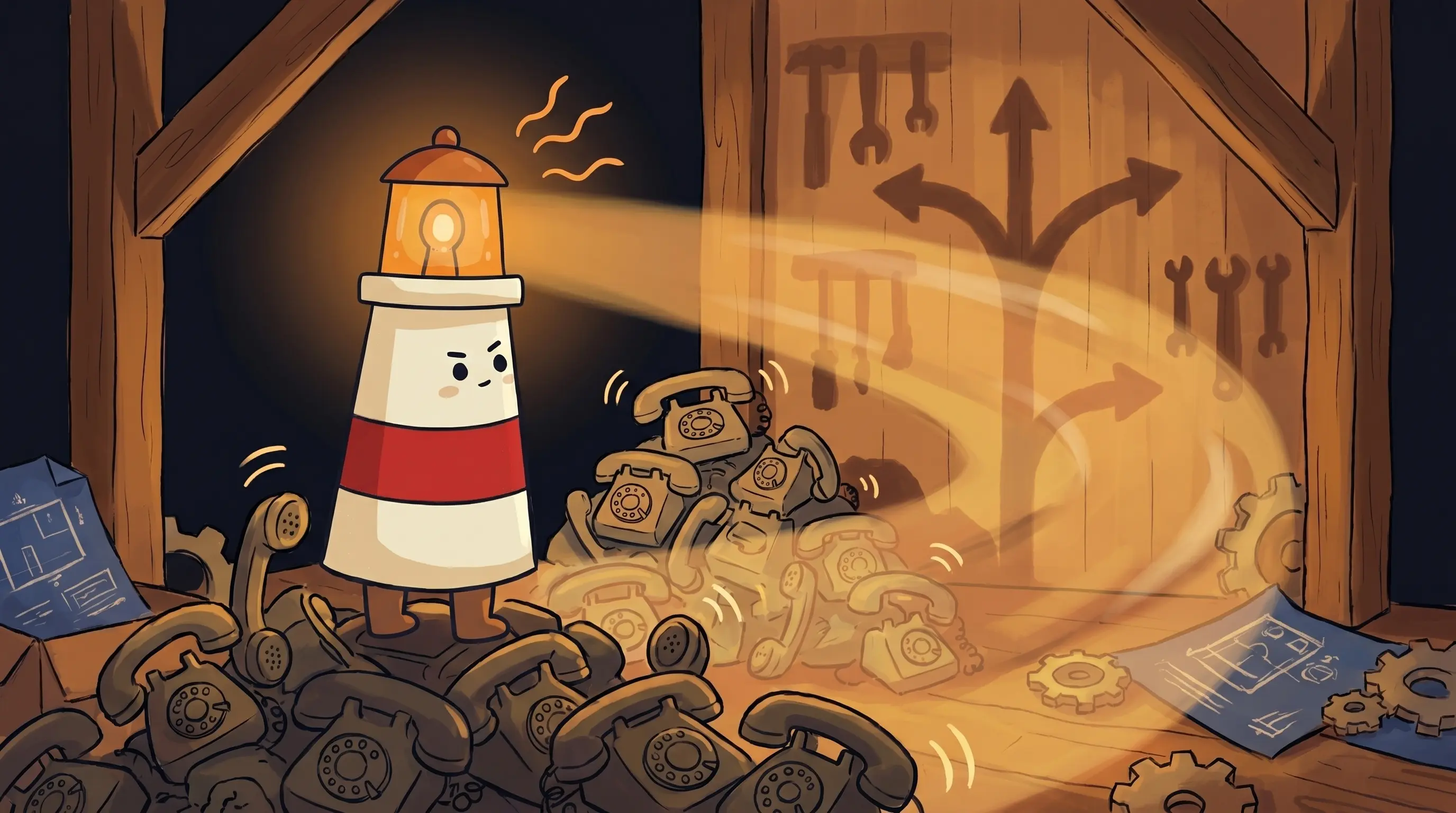
 Twice the work, same pair of stubby feet. Beacon knows the secret: work smarter, not harder.
The fix for most of these is the same: documentation before automation. Build a brand guide document your AI references every time. Lock your prompts so they don’t drift between projects. Create a content inventory before you start generating at scale.
How to Know Your AI Content Team Is Actually Working
Gut feel isn’t enough. Here’s what to measure:
- Editing time per piece — Track it before and after. If you’re still spending more than 45 minutes editing a 1,500-word article, your briefs or tool selection need work.
- Output per week — Set a baseline. If you were producing 3 articles/week manually, your AI-assisted target should be 6-8 within 30 days of consistent use.
- Client revision rounds — If clients are requesting more revisions per piece than before, brand voice drift is probably the culprit.
- AI detection scores — Run your finished pieces through a detection tool. Some AI tools produce high detection scores even after editing (one popular SEO tool clocked 46% even after ‘humanization’). Know your baseline.
- Revenue per hour worked — The real number. Upwork data shows a 40% per-hour premium for AI-skilled freelancers. If that’s not showing up in your numbers after 60 days, the system needs adjustment.
How Freelancers Scale Content With AI: Your Monday Morning Checklist
Stop theorizing and start building. Here’s how to operationalize your AI content team this week:
Build your brand guide document
Before touching any AI tool, create a single reference document: client voice, banned phrases, audience description, competitor differentiators, preferred sources. Keep it under 1,500 words so AI can actually digest it as part of your prompt. Do this for every client.
Lock your prompt library
Write and save 5 core prompts: research synthesis, outline generation, full draft, social adaptation, meta description. Don't improvise prompts mid-project. If you're using ChatGPT, Claude, or a similar tool, create a dedicated project folder with these saved. Test each prompt against a real brief and refine it once — then stop touching it.
Audit your current workflow for the 10-80-10 split
Time-track your next three articles manually. Where are the hours actually going? If more than 30% of your time is inside the AI drafting phase (editing AI output), your briefs are underspecified. If more than 20% of your time is on research before you even start a brief, that's where AI should be deployed first.
Set your output baseline and a 30-day target
Know your current weekly article count. Set a target that's 2x — not 5x. Overcorrecting on output targets is how quality fails. If you're at 4 articles/week, target 8. Give yourself 30 days to hit it consistently before expanding scope.
Pick one distribution task to automate
The 10-80-10 rule applies beyond writing. Social adaptation of long-form content, email newsletter summaries, and internal link suggestions are all tasks AI handles well with a good prompt. Automate one this week. If you're already handling client email and scheduling manually, explore how a [personal AI assistant](/personal-ai-assistant/) can take that off your plate so you focus on content.
Run an AI detection check on your next finished piece
Before sending to a client, run the piece through a detection tool. If it scores above 30%, your humanization pass needs more depth — not more words, but more specific examples, personal observations, and sentence structure variation. Tools that produce 46% detection scores after editing aren't saving you time; they're creating client risk.
Track revenue per hour for 60 days
Log your hours against your invoices for two months. If the AI system is working, you should see measurable improvement in earnings per hour worked. The Upwork benchmark is a 40% premium for AI-skilled freelancers. If you're not trending toward that after 60 days at under $200/month in tool costs, revisit your prompt library first, then your tool stack.
What Scaling Your AI Content Team Actually Changes
- The human ceiling on solo content output is real: 8-12 quality articles per month without AI, versus what a structured AI content team workflow makes possible
- AI-skilled freelancers earn 40-45% more per hour than manual operators — not because they work faster, but because they operate a different business model
- The 10-80-10 rule keeps quality and copyright intact: 10% human strategy, 80% AI execution, 10% human finish
- The biggest failure modes — brand voice drift, prompt chaos, thin SEO — are documentation problems, not AI problems
- Freelancers saving 8 hours per week with AI workflows are translating that time into $2,000-4,000 in additional monthly income
The teams and freelancers who started building structured AI content workflows twelve months ago now have a compounding advantage: better prompts, tighter brand guides, faster client turnarounds, and the data to prove it. The ones still running manual processes are paying that gap in hours every single week — and the gap is widening. The technology isn’t experimental anymore. The question is whether you can afford to keep treating content production as a fully manual operation.
Frequently Asked Questions
How many articles per week can a freelancer realistically produce with an AI content team workflow?
Most freelancers running the 10-80-10 framework report 2-3x their previous output within 30 days of consistent use. If you were producing 4 articles per week manually, a realistic 30-day target is 8. Pushing beyond 3x too quickly is where quality starts to slip — the human finish pass needs real time.
Is AI-generated content safe to deliver to clients?
With the right workflow, yes — but there are two non-negotiables. First, AI-only output isn’t copyrightable under current law, so your editorial contribution isn’t optional; it establishes ownership. Second, run AI detection checks before delivery. Some tools produce high detection scores even after editing passes. A solid human finish pass — adding specific examples, varied sentence structure, and client-specific voice — solves both issues.
What's the difference between a freelancer AI agent and just using ChatGPT?
ChatGPT is a tool you prompt manually. A freelancer AI agent setup means AI is integrated into your workflow as a persistent, structured system — with saved prompts, brand guides it references automatically, and tasks it handles without you starting from scratch every time. The difference is the same as between a calculator and a spreadsheet: one handles a task, the other runs a process. For more on how agents differ from chatbots, see our guide to the best AI agents.
How much does it cost to run an AI content team workflow as a solo freelancer?
Tool costs for a typical solo setup — a strong AI writing model, an SEO research tool, and a prompt management system — usually run $100-250 per month. At the Upwork-reported 40% per-hour earnings premium for AI-skilled freelancers, that investment pays back quickly. The real cost is setup time: expect 4-6 hours to build your brand guides and prompt library the first time.
Can AI help with content distribution, not just writing?
Yes — and this is where most freelancers leave time on the table. Social adaptations of long-form pieces, email newsletter summaries, and internal link suggestions are all tasks a well-prompted AI handles in minutes. Beyond content tasks, some freelancers are also using AI to handle client communication and scheduling. An AI social media manager setup is worth exploring if distribution is eating your hours.
Sources
- MindStudio — AI Agents for Freelancers
- Prompts to Dollars — Freelance AI Writing Workflow
- AI Agents Kit — AI for Freelancers Productivity Stack
- TrySight — AI Content Generation at Scale 2026
- Humai Blog — How Top Content Teams Build Their AI Toolkit in 2026
- Teract — AI Writing Tools Comparison 2026
- GenAI Last — How to Scale Content Production With AI
- Get Daily Toolbox — AI Agents 2026 Compared
- Koanthic — AI Content Workflow Scale Quality Production 2026
Related Articles

AI front desk software for small business: missed calls, follow-ups, and owner approval
AI Phone Receptionist vs AI Follow-Up Assistant: Which Should a Small Business Hire First?