
From On-Call Burnout to AI-Powered Incident Response

On this page
Your on-call engineer gets paged at 2:47 AM. They open PagerDuty, then Slack, then Datadog, then the runbook wiki, then the Kubernetes dashboard. Ten minutes in, they’ve touched five tools and haven’t fixed anything yet. Meanwhile, somewhere else, a team with an AI incident response agent already has a Slack thread with correlated logs, a probable root cause, and a suggested remediation — assembled automatically, before anyone rubbed their eyes.
That gap isn’t about headcount or budget. It’s about what happens in the first 15 minutes of an incident. The teams closing that gap faster in 2026 have figured out something most post-mortems don’t capture: the bottleneck was never the alert. I’ll get to what it actually is — and why that changes everything about how you should think about AI incident response — but first, let’s look at the problem honestly.
What’s Actually Eating Your MTTR
The average on-call engineer receives roughly 50 alerts per week. According to PagerDuty’s 2025 State of Digital Operations report, only 2–5% of those require human intervention. That’s a 97% noise rate. You’re building muscle memory for false positives.
That’s 47–49 pages per week that wake someone up, interrupt their flow, or pull them out of dinner — for nothing. Over a year, that’s thousands of interruptions that produce zero customer value. The human cost compounds: engineers burn out, response quality degrades, and the people who know the systems best start looking for jobs with better on-call rotations.
But alert noise is only half the problem.
The other half is the tool-switching tax. The average on-call responder touches four or five different tools before writing their first status update during an incident. Each handoff between tools is a context switch. Each context switch burns time and introduces the possibility of missing something. That friction isn’t just annoying — it measurably extends how long it takes to resolve issues.
Monitoring tools have gotten remarkably good at detecting that something is wrong. But telling you is where they stop. The actual work — diagnosing the root cause, correlating logs across services, figuring out which team owns the affected resource, drafting the customer status update — still falls entirely on humans. Usually tired, paged-at-2-AM humans.
How AI Incident Response Actually Works
When people say ‘AI incident response,’ they usually mean one of three things — and the differences matter for what you should actually go build or buy.
Layer 1: Intelligent Alert Filtering
AI deduplicates and correlates incoming alerts, suppressing noise and grouping related signals into a single incident. Instead of 47 Slack pings, your on-call gets one notification with the correlated context already assembled. This is the most mature layer — most observability platforms now offer some version of it.
Layer 2: Automated Investigation
AI agents pull in logs, traces, deployment history, recent configuration changes, and service dependency maps — then synthesize a probable root cause before a human looks at the screen. This is where the real time savings happen. This layer requires the AI to have full environmental context: which workloads connect to which identities, what's network-exposed, what data is sensitive.
Layer 3: Remediation Assistance (or Automation)
AI suggests a fix, generates a runbook step, or (in more autonomous configurations) executes a predefined remediation action. This is the most powerful layer and the highest-risk one. Autonomous remediation requires careful guardrails — rules that prevent AI from doing harmful things — and a clear escalation path for anything outside defined parameters.
Most teams in 2026 are operating at Layer 1 or early Layer 2. Full Layer 3 automation is real, but it requires trust earned through months of supervised operation. Don’t skip straight to autonomous remediation on day one.
The integration picture matters too. The best AI incident response setups in 2026 pair reliable alerting with flexible escalation policies and deep integrations across chat, monitoring, and ticketing systems. A disconnected AI layer that can’t reach your Slack, your Jira, and your observability stack is just another tool in the five-tool gauntlet.
The Investigation Gap Nobody Talks About in AI Incident Response
Here’s the thing most articles on AI incident response get backwards.
Everyone focuses on alert noise. Reduce the pages. Improve signal-to-noise. That’s real — the 97% noise rate is genuinely terrible and worth fixing. But in terms of where your MTTR actually goes, alert noise isn’t the main story.
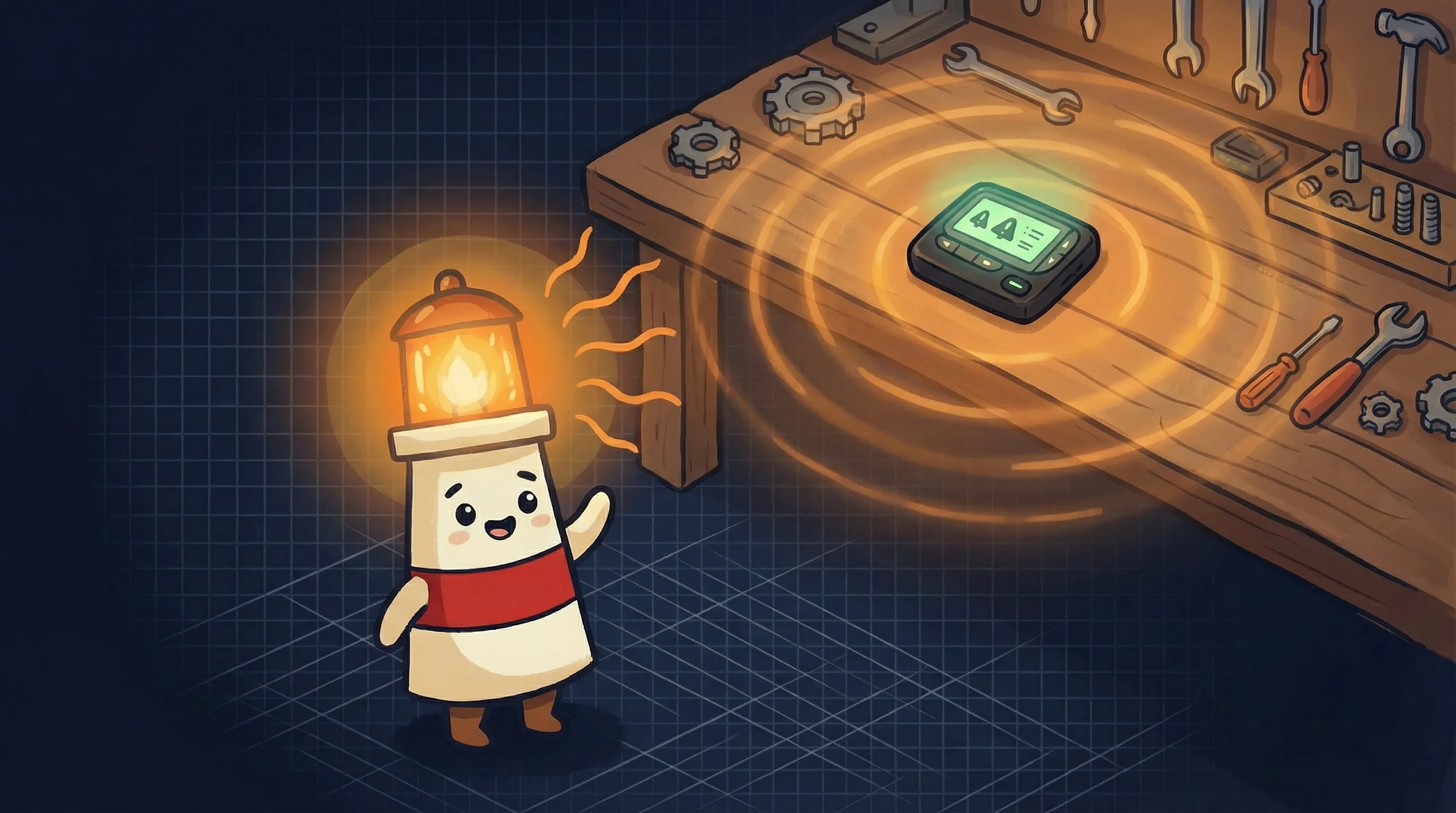 Even lighthouses run through the night — but they don’t do it alone anymore.
The biggest bottleneck in incident response is investigation, not detection. Most teams spend the first hour of an incident manually correlating logs, chasing down resource owners, and stitching together context across disconnected tools. Detection happened in seconds. Investigation takes an hour.
AI-powered platforms save an average of 4.87 hours per incident — and the largest portion of those gains come during response execution, not alerting. That’s roughly a full workday per incident, recovered. For a team handling several incidents a week, that math gets significant fast: potentially 15–20 hours of engineering time returned per week, per team.
The implication: if you’re evaluating AI incident response tools and you’re primarily comparing their alert deduplication features, you’re optimizing for the wrong variable. The question to ask is: how well does this tool investigate? How much context does it pull automatically? How close does it get to a root cause before a human touches the keyboard?
That answer requires the AI to have full environmental context — understanding how a flagged workload connects to identities, permissions, network exposure, and sensitive data. Without that picture, AI-powered triage produces the same noise as traditional rule-based alerts, just dressed up in a nicer interface.
Where AI Incident Response Breaks Down
It’s Friday at 4:45 PM. A novel failure mode hits — something your AI agent has never seen, in a service that was added last month with minimal documentation. The agent correlates what it can, surfaces three hypotheses, and flags the incident as requiring human investigation. Your on-call engineer gets a Slack message with partial context and a list of things the agent couldn’t resolve.
That’s the best-case failure scenario. It’s actually fine — the engineer has more context than they’d have without the agent, and they’re now debugging instead of still gathering data. But there are worse failure modes.
AI agents interact with external systems through a mechanism called tool use — the ability to call your monitoring APIs, your ticket system, your deployment platform. That tool-calling layer fails between 3% and 15% of the time even in well-engineered production deployments. That’s not a bug to wait on. It’s an operational reality to design around. Your incident response automation needs fallback paths for when the agent can’t reach a tool.
Then there’s the AI-specific incident problem. AI incidents — failures in AI systems themselves — surged 56.4% from 2023 to 2024, reaching 233 documented cases. Two-thirds of those (67%) stem from model errors rather than adversarial attacks. These failures are different: they’re harder to detect (average 4.5 days to discover, compared to near-immediate detection for traditional IT incidents), and most organizations lack specific procedures for handling them. Your AI incident response tooling needs to account for AI-caused incidents, not just AI-assisted response.
On-Call Automation Tradeoffs You Should Know Before You Commit
- Context requirements are high. AI incident response only works well when the agent has full environmental context — identities, permissions, network topology, sensitive data. If your observability stack is fragmented or your asset inventory is incomplete, the AI will fill gaps with guesses. Garbage in, noise out.
- Autonomous remediation is a trust-earning process, not a flip you flip. Start with the agent in advisory mode — it investigates and recommends, humans approve. Graduate to supervised automation (agent executes low-risk remediations, humans review). Get to autonomous only after months of tracked accuracy. Skipping steps here is how you get an AI agent restarting services it shouldn’t touch.
- Tool-calling failures require fallback design. With a 3–15% failure rate on tool calls in production, your automation needs graceful degradation. What does the agent do when it can’t reach Datadog? Does it page a human? Does it document what it couldn’t check? Design the failure path before you need it.
- AI-specific incidents need their own playbook. Traditional IT runbooks don’t cover model drift, data issues, or AI hallucinations that affect downstream systems. Build a separate response track for AI-system failures — including kill switch criteria for active data leakage, unexpected goal-seeking behavior, or mass-scale impact.
- Knowledge bottlenecks don’t disappear. If your AI agent learned from your existing runbooks and your runbooks have gaps, the agent inherits those gaps. Invest in documentation quality before you invest in AI automation — the agent amplifies what’s already there.
How to Know Your AI Incident Response Is Actually Working
- MTTR is falling, not just page volume. Fewer alerts is easy to game. Faster resolution is the real metric. If your mean time to resolution isn’t dropping over the first 90 days, the AI is filtering noise without adding investigative value.
- Engineers are receiving context, not just notifications. When your on-call gets paged, the message should include correlated logs, probable root cause hypothesis, and suggested next steps — not just ‘CPU high on pod X.’ If the agent is delivering raw alerts, you haven’t connected it to your investigation data.
- False positive page rate is measurable and declining. Track the ratio of pages that required human action vs. pages the agent resolved or dismissed. That ratio should improve month over month.
- Post-mortems have more data with less effort. If your post-mortems got richer after deploying AI incident response — more timeline detail, better root cause documentation, clearer action items — the agent is doing investigation work that used to get skipped because everyone was exhausted.
- Tool-calling failures are logged and handled. Check your agent logs for failed tool calls. If you’re not monitoring this, you’re flying blind on your automation reliability. A 10% tool-call failure rate that’s invisible to you is a significant reliability gap.
Your Monday Morning AI Incident Response Checklist
Before you evaluate or deploy AI incident response tooling, work through these steps. The order matters.
Audit your current alert volume
Pull the last 30 days of pages from your on-call platform. Count total alerts vs. alerts that required human action. If that ratio is worse than 10:1, you have an alert noise problem that AI filtering will address immediately — that's your quickest win.
Map your investigation workflow
Document every tool your on-call touches in the first 30 minutes of an incident. If that list has more than 3 tools, your investigation phase is a good AI automation target. This is where the 4.87-hour average savings per incident comes from — not from the alert, from the investigation.
Check your context availability
AI incident response requires your monitoring, logs, deployment history, and asset inventory to be accessible via API. Audit what's connected and what's siloed. If key data lives in tools without APIs or with inconsistent data formats, fix that before you layer in AI — the agent needs clean, connected data to investigate effectively.
Deploy in advisory mode for the first 60 days
Configure your AI agent to investigate and recommend without taking autonomous action. Track its accuracy: does the root cause hypothesis match what engineers actually find? If accuracy hits 70%+ on investigation, expand to supervised automation for low-risk remediations (pod restarts, cache clears, scaling events). Set a clear threshold — don't expand before 60 days of data.
Build your AI-specific incident playbook
Separately from your standard runbooks, document what happens if your AI systems themselves fail. Define kill switch criteria: active data exposure, unexpected autonomous behavior affecting more than X users, or cascading failures across more than 2 services. Assign a clear owner. This playbook should be reviewable in under 5 minutes at 2 AM.
Set your monitoring baseline now
Before you deploy anything, record your current MTTR, page-to-action ratio, and average number of tools touched per incident. You need this baseline to measure actual improvement. Teams that skip this step end up with a 'feels better' assessment instead of a defensible ROI number.
What This Means for Your On-Call Rotation
- The average on-call engineer receives ~50 alerts per week; only 2–5% require human intervention — AI filtering addresses this signal-to-noise problem directly.
- The biggest MTTR gains from AI incident response come during investigation (context-gathering, log correlation, root cause analysis), not alerting. Optimize for that phase.
- AI-powered platforms save an average of 4.87 hours per incident — deployed at scale across a team handling multiple incidents per week, that’s a meaningful return on on-call engineer time.
- AI incidents (failures in AI systems) now require their own response playbook — 67% stem from model errors, not attacks, and take an average of 4.5 days to detect without specific monitoring.
- Start in advisory mode. Earn trust through 60 days of tracked accuracy before enabling autonomous remediation. The teams that rush to autonomy are the ones with the worst 3 AM stories.
The teams that solve the investigation bottleneck first don’t just have faster MTTR — they compound the advantage. Engineers stop dreading on-call rotations. Post-mortems get richer. Institutional knowledge stops living in one person’s head. The technology is available now. The math stopped making sense for manual-only incident response some time ago. The question is how long you’re willing to keep paying the tax.
Frequently Asked Questions About AI Incident Response
What is AI incident response and how is it different from traditional incident management?
AI incident response uses software agents to automatically correlate alerts, investigate root causes, and recommend or execute fixes — without requiring a human to manually gather context first. Traditional incident management relies on on-call engineers to touch multiple tools, correlate data manually, and diagnose issues under pressure. The key difference is that AI handles the investigation phase (log correlation, root cause hypothesis, context assembly) before a human looks at the screen, which is where most of the time savings come from.
How much can AI incident response actually reduce MTTR?
AI-powered platforms save an average of 4.87 hours per incident, with the largest gains during investigation and response execution rather than alerting. The actual reduction in your MTTR depends on how mature your observability stack is and how much context the AI agent can access. Teams with well-connected monitoring, logging, and asset inventory data see better results than teams with siloed or incomplete data.
Is it safe to let AI agents execute remediations autonomously?
It depends on the action and the trust you’ve built up. Start with advisory mode — the agent investigates and recommends, humans approve and execute. After 60+ days of tracked accuracy, expand to supervised automation for low-risk, well-defined actions (pod restarts, scaling events, cache clears). Reserve full autonomy for the most routine, lowest-risk remediations. Always define a kill switch: if the agent takes an action you didn’t authorize or if a remediation cascades unexpectedly, you need a documented escalation path.
What data does an AI incident response agent need to work well?
An AI agent needs full environmental context to be useful: monitoring data, application logs, deployment history, service dependency maps, asset inventory (including which workloads connect to what identities and network resources), and recent configuration changes. Without this connected picture, the agent produces the same noise as traditional rule-based alerts. The quality of your investigation output is directly proportional to the quality and completeness of the data the agent can access.
Do I need a separate incident response plan for AI systems themselves?
Yes. AI incidents — failures in AI systems — are fundamentally different from traditional IT incidents. They’re harder to detect (averaging 4.5 days to discover vs. near-immediate detection for standard IT failures), and 67% stem from model errors rather than external attacks. Your standard runbooks don’t cover model drift, data quality issues, or unexpected AI behavior. Build a separate playbook with clear detection criteria, containment steps (including a kill switch for active data exposure or mass-scale impact), and defined escalation paths.
Related BrainRoad guides
Sources
- PagerDuty / OneUptime — Alert Fatigue and AI
- OpenClaw / SlackClaw — On-Call Tool Switching
- Nurix AI — AI Incident Management Savings
- GLACIS — AI Incident Response Playbook 2026
- Wiz — AI for Incident Response
- OneUptime — AI Agents Changing Incident Response
- Harness Engineering — Production AI Agent Operations
- Neubird — AI SRE and DevOps
- Developer Toolkit — On-Call Automation
- incident.io — 2026 On-Call Scheduling Buyer’s Guide
- PurpleSec — AI Incident Response Playbook Template


