Skip to content
BrainRoad BrainRoad

Is OpenClaw Safe? Self-Hosted vs Managed Security Checklist (2026)

BrainRoad ·
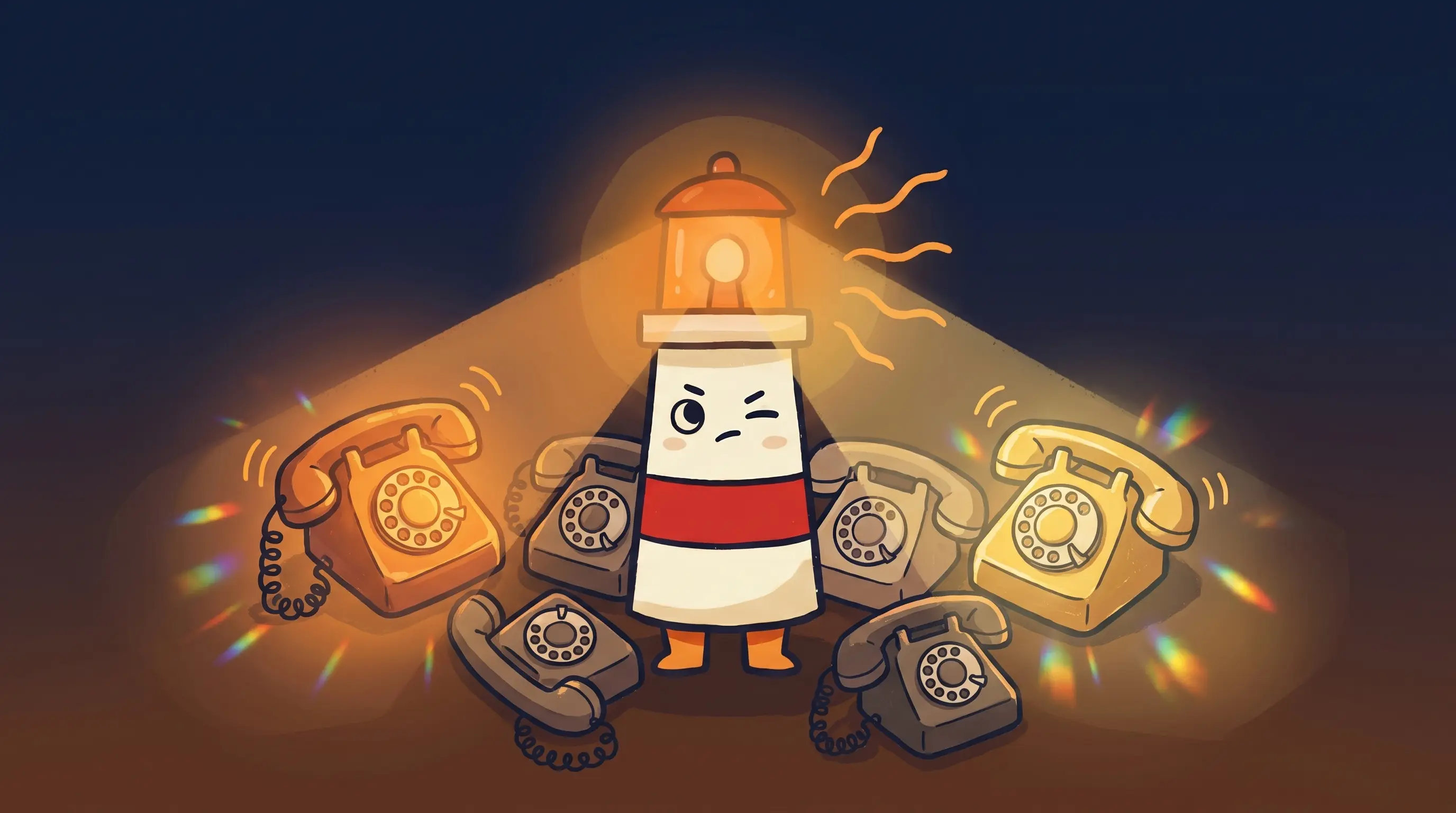
Beacon the lighthouse mascot shining its amber light onto a security checklist clipboard on a dark navy background.
Share
On this page

It’s a Tuesday morning. You set up OpenClaw over the weekend — it’s connected to your email, your WhatsApp, your calendar. It’s drafting replies while you sleep. Exactly what you wanted.

Somewhere else, a security researcher is scanning the public internet. She finds your instance in about four seconds. No password prompt. Full access to the agent, your credentials, and everything it can reach.

This isn’t a hypothetical. In January 2026, researcher Maor Dayan documented 42,665 OpenClaw instances exposed to the public internet, with 93.4% requiring no authentication to access. That number kept climbing. Censys tracked growth from roughly 1,000 to over 21,000 publicly exposed instances in under a week during the initial viral surge. If you’re evaluating whether OpenClaw is safe to run — or trying to figure out what a managed AI agent platform actually protects you from — this checklist is where to start.

The risks are real and specific. So are the fixes. What matters is knowing which ones you’re signing up to handle yourself.

Why OpenClaw Creates Security Questions Other AI Tools Don’t

Most AI tools you interact with are read-only. You type, they respond. OpenClaw is different in a way that matters for security: it’s an agent that takes actions.

Out of the box, OpenClaw can read and write files anywhere the user has access, execute shell commands, control browsers, send messages through WhatsApp, Telegram, Slack, Discord, Teams, and iMessage, and make API calls to any service it holds credentials for. It runs continuously and autonomously, often unattended.

Simon Willison — the researcher who coined the term prompt injection — identified what he calls the ‘lethal trifecta’ for AI agents: access to private data, exposure to untrusted content, and the ability to communicate externally. OpenClaw ticks all three by design. Palo Alto Networks added a fourth element: persistent memory. OpenClaw stores context across sessions in files called SOUL.md and MEMORY.md. A malicious payload can be injected into memory on one day and execute when the agent’s state aligns on another — what researchers call time-shifted prompt injection.

None of this means OpenClaw is unusable. It means the security work that a traditional app handles automatically — authentication, sandboxing, credential protection, patching — lands on you when you self-host. And there’s one particular misconfiguration that catches almost everyone. I’ll get to it in a moment.

The OpenClaw Security Checklist, Item by Item

Walk through each risk below. For each one, note what self-hosting requires you to manage — and what a managed setup handles for you.

1. Is Your Gateway Exposed? (The Most Common Failure)

OpenClaw’s core component is the Gateway — a Node.js server that maintains conversation history, stores your credentials, and exposes a control interface over a network port. By default, it trusts all connections from localhost without authentication.

This is fine when the Gateway is genuinely local-only. It becomes a critical problem the moment you add remote access.

Self-hosting responsibility: You configure the Gateway bind address, set a strong gateway.auth password, and ensure your reverse proxy is not accidentally bypassing authentication. If someone can reach your Gateway port (the default is 18789), they control your machine.

Managed setup: No exposed control plane. The Gateway doesn’t face the public internet. External access goes through authenticated channels the provider controls.

2. Is Sandboxing Enabled?

OpenClaw ships with sandboxing disabled by default. The Docker-based sandbox is opt-in. When disabled, the exec tool runs commands directly on the host machine with your own user permissions.

This matters because of how CVE-2026-25253 (CVSS 8.8) worked in practice: a victim visits a malicious webpage, their OpenClaw authentication token is stolen via WebSocket hijacking, the attacker disables sandboxing through the API, and then executes arbitrary commands on the host. One click from visiting a normal-looking link to full machine compromise.

The April 2026 Claw Chain vulnerability chain — four CVEs fully patched in version 2026.4.22 — included CVE-2026-44112 (CVSS 9.6), which exploited a race condition in the OpenShell sandbox itself to escape the isolation boundary even when sandboxing was enabled. At the time of disclosure, roughly 245,000 publicly accessible instances were exposed.

Self-hosting responsibility: Enable Docker-based sandboxing explicitly. Verify it’s actually active after any configuration change — the audit command (openclaw security audit) will flag drift where sandbox is configured but not running.

Managed setup: The provider runs each agent in an isolated environment. The blast radius of a prompt injection or compromised skill is contained to that environment, not your main machine.

3. Where Are Your Credentials Stored?

OpenClaw stores your API keys (Anthropic, OpenAI, and others), OAuth tokens, WhatsApp credentials, Telegram bot tokens, Discord tokens, and conversation memories in plaintext Markdown and JSON files under ~/.openclaw/.

As of January 2026, commodity malware families including RedLine, Lumma, and Vidar had already been updated to specifically harvest these file structures. Hudson Rock flagged the ~/.openclaw/ directory as likely to become a standard infostealer target — similar to the way ~/.npmrc and ~/.gitconfig became routine targets once Node.js and Git adoption reached critical mass.

A routine endpoint compromise — phishing email, malicious download, anything that gives malware a foothold on your machine — can escalate into takeover of the agent and every service it’s connected to.

Self-hosting responsibility: Lock down file permissions (600 for files, 700 for directories). Consider credential isolation — don’t store production keys in the same location as your agent config. Run the security audit after any change.

Managed setup: Credentials are held server-side by the provider, not stored in plaintext files on your machine. Your API keys never touch your local filesystem in the same way.

4. What Are You Installing from the Skills Marketplace?

ClawHub — the official skills marketplace — has a minimal vetting process. Publishing a skill requires only a GitHub account that’s at least one week old. Downloaded code is treated as trusted by default.

Koi Security audited 2,857 skills and found 341 malicious ones — roughly 12% of the entire registry at the time. The primary campaign, codenamed ClawHavoc, distributed Atomic Stealer (AMOS), a macOS infostealer. Skills had professional documentation and plausible names like ‘solana-wallet-tracker’ and ‘youtube-summarize-pro,’ but contained fake prerequisite instructions that directed users to download malware. All 335 AMOS-delivering skills shared a single command-and-control IP address.

A separate proof-of-concept attack demonstrated the supply chain risk clearly: a researcher uploaded a skill called ‘What Would Elon Do?’, artificially inflated its download count to over 4,000, and watched as developers from seven countries installed it before it was flagged.

Self-hosting responsibility: Install only skills you’ve read the source code for. Maintain an explicit allowlist. Treat any skill that requires you to download something outside the standard install path as a red flag.

Managed setup: Providers typically run vetted skill sets or restrict the marketplace entirely. You don’t get the full open marketplace, but you don’t get the 12% malicious rate either.

5. How Fast Are You Patching CVEs?

OpenClaw has no dedicated security team and no bug bounty program as of early 2026. CVEs have been arriving in clusters. The patching window matters more than the CVE count.

CVE-2026-32922 — a privilege escalation flaw rated CVSS 9.9 — was patched in release 2026.3.11 but disclosed on March 29, leaving a 13-day window during which self-hosted instances running older versions were fully exposed to authenticated users escalating to admin access. Self-hosters who didn’t catch the disclosure and update promptly stayed vulnerable for the entire window.

Self-hosting responsibility: Monitor OpenClaw’s security advisories. Have a process for applying patches within days of disclosure, not weeks. The Claw Chain vulnerabilities (fully patched in version 2026.4.22) demonstrated that a four-CVE chain can create a 9.6 CVSS attack path from a single entry point.

Managed setup: The provider handles patching. You don’t have a 13-day exposure window because the provider’s update process closes it before most users know the CVE exists.

6. What Can Your Agent Send Externally?

An agent that can send emails, post to Slack, and make API calls has multiple outbound channels. In a prompt injection scenario, an attacker doesn’t need to breach your network — they just need to reach your agent with a crafted message that instructs it to exfiltrate data through one of those channels.

Beacon the lighthouse illuminating a security checklist, cream body with red stripe, amber glow, on dark navy background. Some doors are worth checking twice before you walk through them.

Traditional security tools don’t monitor traffic from AI agents the same way they monitor user activity. The agent operates outside normal proxy and endpoint patterns, which means data leaving through the agent may not trigger the same alerts as data leaving through a browser.

Self-hosting responsibility: Scope the agent’s outbound permissions as narrowly as possible. If the agent only needs to read email and draft replies for review, it shouldn’t have the ability to send email autonomously. IMAP read-only access for mail is a meaningful constraint.

Managed setup: Outbound permissions can be enforced at the infrastructure level, not just at the configuration level. IMAP-only mail egress — where the agent can read and draft but not send without a review step — is a structural constraint rather than a setting you have to remember to maintain.

7. Does Anything Get Reviewed Before It Goes Out?

This is the checklist item most people skip because it feels like a convenience question, not a security question. It’s both.

An agent that sends, posts, or updates things autonomously — without a human seeing the draft first — has a larger attack surface for prompt injection consequences. The attacker doesn’t need to break in. They just need the agent to receive a crafted input that causes it to take an action you wouldn’t approve.

A review queue before external actions — where drafts are queued and you approve before anything gets sent, posted, or changed — is a meaningful security control, not just an operational preference. It means a successful prompt injection produces a draft you see, not an action that already happened.

Self-hosting responsibility: You configure this, or you don’t. Many self-hosted setups run in full autonomy mode because that’s the default and it’s more convenient.

Managed setup: A draft-first workflow can be built into the infrastructure. Nothing gets sent externally until you’ve reviewed it. This is how a personal AI assistant should work for business use — drafts ready for your eyes, actions waiting for your go-ahead.

The Proxy Trap: The Self-Hosting Failure Nobody Talks About Until It’s Too Late

Here’s the thing that catches careful, technically-minded self-hosters — not just careless ones.

You set a gateway password. You checked the configuration. You’re running behind a reverse proxy, which feels like an extra layer of security. And then you check Maor Dayan’s scan data and your instance is in the list.

The reason: OpenClaw’s Gateway uses localhost trust as its authentication model. When traffic arrives through a reverse proxy running on the same host, the Gateway sees it as a localhost connection — and the password check never fires. The official documentation acknowledges this and includes a reverse proxy runbook, but the default behavior makes it easy to misconfigure without any visible error.

This isn’t a fringe edge case. It’s the mechanism that turned 42,665 properly-intentioned setups into publicly accessible attack surfaces. The Gateway’s security audit command (openclaw security audit) will catch this — but only if you run it after every configuration change, including changes to your proxy setup.

Microsoft’s Security Blog published a clear recommendation in February 2026: treat OpenClaw as untrusted code execution with persistent credentials. It should not run on a standard personal or enterprise workstation. If it must be deployed, use a dedicated virtual machine or separate physical system with non-privileged credentials and access only to non-sensitive data.

That’s a reasonable standard for organizations with the infrastructure to enforce it. For a solo business owner or small team, it’s a significant operational overhead on top of the checklist above.

Self-Hosted vs Managed OpenClaw Hosting: Who Owns What

This is the clearest way to frame the decision. Not which option is better — but which list of responsibilities you’re accepting.

42,665 Exposed instances found (Jan 2026)
93.4% With zero authentication
CVSS 9.6 Worst Claw Chain flaw
12% ClawHub skills found malicious

What Self-Hosting Hands You

  • Gateway exposure management — You configure bind address, authentication, and reverse proxy settings. You run the security audit after every change. You monitor for misconfiguration.
  • Sandboxing — Docker sandbox is opt-in. You enable it, verify it’s active, and check that configuration drift hasn’t silently disabled it.
  • Credential protection — API keys and OAuth tokens live in plaintext files on your machine. You manage file permissions, and you’re responsible if endpoint malware harvests them.
  • Skills vetting — The marketplace has no meaningful moderation. You review source code or restrict to an explicit allowlist.
  • CVE patching — You monitor advisories and apply patches. A 13-day window between disclosure and patch application means 13 days of exposure at CVSS 9.9.
  • Outbound scope — You configure what the agent can send and to where. Full autonomy mode is the default.
  • Review workflow — You decide whether drafts queue for your review or execute immediately. This setting is on you.

What Managed OpenClaw Hosting Absorbs

  • No exposed control plane — The Gateway doesn’t face the public internet. The proxy trap doesn’t exist in the same form.
  • Isolated environments — Each agent runs in its own isolated container or VM. A compromised skill or successful prompt injection is contained.
  • Credentials held server-side — API keys don’t live in plaintext files on your local machine.
  • Automatic patching — CVE-2026-32922’s 13-day window closes before most users know the advisory exists.
  • Controlled outbound — Mail egress can be IMAP read-only at the infrastructure level, not just at the config level.
  • Built-in review queue — Drafts are staged for your approval before anything gets sent, posted, or changed externally. This is structural, not a setting you configure and then forget to check.

Your OpenClaw Security Checklist Before Going Live

If you’re self-hosting, run through this before connecting any real business accounts. If you’re evaluating a managed provider, use this list to ask the right questions.

  1. Run the security audit now. Execute openclaw security audit before and after every configuration change. Findings with ‘open’ status plus tools enabled are your first priority — lock down DM and group policies before anything else.
  2. Check your Gateway bind address. If it’s not loopback-only (127.0.0.1), you need a strong password set via gateway.auth and a correctly configured trusted-proxy header — not just a reverse proxy in front of it.
  3. Enable Docker sandboxing explicitly. Don’t assume it’s on. Verify after every update. The audit will flag exec approval drift if sandboxing is configured but not active.
  4. Tighten file permissions on ~/.openclaw/. Files should be 600 (owner read/write only), directories 700. The security audit’s —fix flag handles this automatically.
  5. Audit your installed skills. Remove anything you haven’t read the source code for. Set an explicit allowlist. Do not install skills from ClawHub without reviewing the full source — the 12% malicious rate from the Koi Security audit is not a theoretical risk.
  6. Scope outbound permissions down. If the agent reads email for drafting, it shouldn’t have autonomous send access. IMAP read-only is a meaningful constraint for mail. Review what each connected service actually needs.
  7. Set up a CVE monitoring process. Watch the OpenClaw security advisories and aim to apply patches within 72 hours of a critical disclosure — not 13 days.
  8. Configure a review step for external actions. Before the agent sends, posts, or changes anything externally, you should see the draft. This is both a security control and an operational one.

If you’re looking at the list above and thinking ‘I don’t have the time to own all of this reliably,’ that’s the honest signal that managed hosting fits your situation better than self-hosting. The monthly cost comparison between self-hosted and managed AI agent setups often looks different once you price in the operational time.

What OpenClaw’s Security Situation Means for Your Setup

OpenClaw is genuinely useful. It also arrived faster than its security model matured — and the people who got hurt were not careless. They were running common configurations that happened to have invisible failure modes.

The question for your business isn’t whether OpenClaw is safe in the abstract. It’s whether your specific deployment handles each item on the checklist above — and whether you have the bandwidth to keep handling it as new CVEs arrive and configurations drift.

The draft-first, review-before-send model matters here more than it might seem. An AI helper that queues actions for your approval isn’t just an operational preference — it’s a meaningful limit on what a successful prompt injection can actually do. The attacker produces a draft you see. Not an email that already went out.

Start with the security audit this week. Work through the checklist. If self-hosting is the right call for your situation, harden it properly. If the checklist is longer than your available time, managed hosting exists for exactly that reason.

OpenClaw Security: What to Know This Week

  • As of early 2026, 42,665 OpenClaw instances were found exposed online — 93.4% with no authentication — mostly due to a reverse-proxy misconfiguration that bypasses the Gateway’s password check silently.
  • OpenClaw ships with sandboxing disabled by default; CVE-2026-25253 (CVSS 8.8) demonstrated how a single malicious link can chain through a disabled sandbox to full machine compromise.
  • Credentials are stored in plaintext files on your local machine, and commodity malware (RedLine, Lumma, Vidar) has been updated to specifically harvest them.
  • Roughly 12% of ClawHub skills audited by Koi Security were found to be malicious; the skills marketplace has minimal vetting requirements.
  • Self-hosting means owning the full security checklist — gateway exposure, sandboxing, patching, credential protection, outbound scope, and review workflow. Managed hosting absorbs most of this.
  • Microsoft’s Security Blog recommends treating OpenClaw as untrusted code execution with persistent credentials — deploy only in a fully isolated environment with non-privileged credentials.

Frequently Asked Questions

Is OpenClaw safe to use for business?

OpenClaw can be used safely, but it requires deliberate hardening — especially for self-hosted setups connected to business accounts. The default configuration is not appropriate for production use with real credentials. Run the security audit, enable sandboxing, lock down file permissions, and configure a review step before any external action. Managed hosting handles most of this at the infrastructure level.

What is the difference between self-hosted and managed OpenClaw hosting?

Self-hosted OpenClaw runs on your own machine or VPS. You manage the security checklist: Gateway configuration, sandboxing, patching, credential protection, and outbound permissions. Managed OpenClaw hosting means a provider runs the infrastructure — no exposed control plane, isolated environments, automatic patching, and credentials held server-side. The trade-off is control versus operational overhead.

Why were so many OpenClaw instances exposed online?

The most common cause was a reverse-proxy misconfiguration. When OpenClaw’s Gateway sits behind a reverse proxy on the same host, it interprets all incoming traffic as localhost connections — and localhost connections are trusted without authentication by default. Operators who set a password and added a proxy believed they were protected, but the Gateway’s authentication was silently bypassed. This accounted for the majority of the 42,665 exposed instances found in January 2026.

How do I check if my OpenClaw instance is secure?

Run openclaw security audit after any configuration change. The audit checks Gateway bind address and authentication, sandbox status, file permissions, plugin allowlists, DM and group access policies, and known configuration drift patterns. Priority findings are anything marked ‘open’ with tools enabled — address those first. Also verify your reverse proxy is correctly passing trusted-proxy headers if you’re using one.

Are the skills on ClawHub safe to install?

Not reliably. A Koi Security audit of 2,857 ClawHub skills found 341 malicious ones — roughly 12% of the registry. The primary attack distributed Atomic Stealer (AMOS) macOS malware via professional-looking skills with fake prerequisite instructions. Only install skills you’ve reviewed the source code for, and maintain an explicit allowlist. Do not trust download counts or star ratings as vetting signals.

Is managed OpenClaw hosting worth the cost compared to self-hosting?

For most business owners running OpenClaw with real credentials — email, messaging, client files — managed hosting is worth evaluating seriously. The security checklist for self-hosting is substantial and ongoing: CVE patching within days of disclosure, sandbox verification after every update, file permission audits, skills vetting, and outbound scope management. If that overhead is larger than your available time, the cost difference between self-hosted and managed typically closes quickly. The real monthly cost breakdown for both approaches is worth working through before deciding.

Sources

Topics

AI Agent Platform

Stay updated

Get AI strategy insights delivered weekly. No fluff, no spam.

Related Articles