
How BrainRoad Runs Itself: Building a Company with AI Agents
On this page
We got the first version wrong.
When we started running BrainRoad’s internal operations through AI agents, we did what most people do: built one powerful central agent and gave it everything. Content scheduling. Research summaries. Email triage. Customer signal monitoring. Lead tracking. One agent. All the context. All the time.
For about three weeks, it felt like magic. Then it started slowing down. Responses got longer and less precise. The agent was spending more time managing what it already knew than actually doing anything useful. We’d hit the wall that everyone building with AI eventually hits — and most people blame the model when the real problem is the architecture.
The fix was counterintuitive enough that we almost didn’t try it. Instead of simplifying down to one agent, we went the other direction. More agents, smaller scopes, shared memory — and something strange happened. The system got faster. I’ll show you exactly what changed, but first let me explain what was breaking.
When One Agent Breaks Everything
Picture a single agent managing everything across your business. Every task routes through it. Every status update runs through it. Every handoff gets logged to its working memory.
That’s not an agent. That’s a traffic cop with a context window that’s filling up by the hour.
Here’s what actually happens: the main agent’s available memory — how much it can ‘hold in mind’ at once — starts filling with intermediate results. File contents. Reasoning chains from earlier tasks. Half-finished summaries. By the time it gets to the thing you actually need done, it’s carrying so much state from everything else that it starts cutting corners on the new task. Not because it’s bad at the job. Because it’s drowning.
An agent overloaded with too many tasks ends up doing everything badly and mastering nothing — while simultaneously increasing your API costs because it’s processing more tokens per request. The bigger the context window gets, the more expensive each response becomes.
We watched this pattern play out across multi-repo code refactors, long content calendars, and customer research tasks. A single agent bogs down after roughly 20 minutes of sustained context accumulation. This isn’t a flaw you can prompt your way out of. It’s physics.
The Architecture We Actually Use
What we run now looks nothing like what we started with.
Instead of one generalist agent handling everything, we have specialized agents with narrow scopes. Each one has its own domain, its own tools, and its own memory slice. They don’t all talk to each other constantly — they coordinate through a shared context layer that each agent can read from and write to.
Think of it like a small team that communicates through a shared document. Nobody sits in a meeting all day waiting for updates. Each person does their work, logs what matters, checks what others logged, and moves on. The document is the coordination layer — not the people.
For BrainRoad, the specialized agents cover distinct domains:
Research Agent
Monitors the AI agent landscape, pulls in relevant developments, and writes structured summaries that other agents can consume. It doesn't draft content — it generates inputs.
Content Agent
Takes research summaries and briefs, drafts article outlines, and flags gaps. Focused only on editorial structure — not distribution, not analytics.
Triage Agent
Handles incoming email and messages. Sorts by urgency, drafts responses for review, escalates anything involving money or commitments. Has a rule: escalate before acting on anything irreversible.
Signal Agent
Watches for customer signals — usage patterns, support frequency, churn indicators — and surfaces them to the shared context layer with recommended actions.
Coordination Layer
Not an agent — a shared memory structure all agents read from and write to. This is what keeps them aligned without routing everything through a single orchestrator.
The key design principle: no agent knows everything. Each one knows its domain deeply, knows where to log what it learns, and knows where to look for inputs from the others.
Why Coordination Beats Agent Count
Here’s the counterintuitive thing we promised you earlier.
Adding more agents to a broken architecture makes it worse. But adding more agents to a well-designed coordination layer makes the whole system faster and more reliable. The variable that matters isn’t how many agents you have — it’s how they share state.
Most multi-agent implementations fail because they use a central orchestrator model: one main agent delegates tasks to subagents, collects results, and synthesizes everything. Sounds clean. In practice, the orchestrator becomes the bottleneck. Every update routes through it. Its context window fills with intermediate results from every subagent. Eventually, it’s doing more state management than actual work.
The alternative — agents coordinating via shared files rather than routing through a central manager — removes that bottleneck entirely. Each agent reads what it needs, writes what it learned, and never has to wait for the orchestrator to process and relay information.
We’d seen a similar pattern documented by practitioners who built 10-agent systems running full business operations on hardware that costs less than most software subscriptions — around $200 a month total. The systems that worked weren’t the ones with the most sophisticated orchestration. They were the ones with the cleanest coordination design.
Aaron Sneed, a defense-tech solo founder, built what he calls ‘The Council’ — 15 specialized AI agents covering roles from chief of staff to legal to HR. The agents consult each other through a shared knowledge structure. No single agent routes everything. The system runs while he works on other things.
The pattern holds across implementations: get the coordination right, and the agent count becomes an asset. Get it wrong, and every additional agent makes things slower.
The Memory Layer That Holds It Together
If the agents are the workers, the shared memory layer is the office they share. Getting this right is what makes the architecture actually function.
We structure ours in tiers based on how long information stays relevant. This prevents the memory layer from becoming a junk drawer of outdated context that slows down every agent that reads it.
Status updates — ‘triage agent processed 14 messages this morning’ — expire after 24 hours. Metrics like conversion rates or content performance stay for 7 days. Decisions — ‘we’re pausing outbound for Q2’ — persist for 30 days. Core business context, the stuff that defines how every agent behaves, never expires.
This tiered structure means every agent works with fresh, relevant context. It’s not checking 90-day-old decisions to figure out what today’s priorities are. It reads what’s current, acts on it, and logs what it learned at the right tier.
BrainRoad’s platform gives every user’s agent its own persistent storage — the same principle, implemented for individuals rather than teams. Your agent remembers what it learned about your preferences last month because that context doesn’t expire. The tactical stuff clears. The important stuff stays. If you’re thinking about how to give your own agent a proper workspace, we wrote a piece on why your AI agent needs its own workspace that covers the isolation piece in detail.
Where the System Still Falls Apart
We’d be lying if we said this runs perfectly. It doesn’t.
Here’s where we still see friction — and where most implementations in this category get tripped up:
- Context drift on long-running tasks. Even with clean architecture, an agent working through a complex task over several hours starts to drift from its original framing. We manage this with explicit checkpoint prompts that re-anchor the agent to its core objective. It’s manual overhead we haven’t fully automated yet.
- Escalation calibration takes iteration. The triage agent’s rules for when to escalate versus when to act autonomously needed three rounds of adjustment before they felt right. Too conservative and you’re just reviewing everything anyway. Too aggressive and the agent makes commitments you didn’t authorize.
- Shared memory conflicts. When two agents write to the same context key close together, the later write wins. We’ve had the content agent and research agent write conflicting priority signals within minutes of each other. The solution is designated write ownership by domain — but enforcing that requires discipline.
- The ‘what does the agent actually know’ problem. When something goes wrong, diagnosing it requires reading the shared memory state at the time of the failure. We built a lightweight log for this. Without it, debugging feels like reconstructing an accident from eyewitness accounts.
- Cost spikes on context-heavy tasks. When we push complex, research-heavy tasks to a single agent session, the token usage climbs fast. The fix is task decomposition — breaking the job into smaller pieces — but that decomposition itself requires judgment.
The honest summary: the architecture works. The operational discipline around it is still maturing. This is true for almost every team running multi-agent systems in production right now — the tools are ahead of the playbooks.
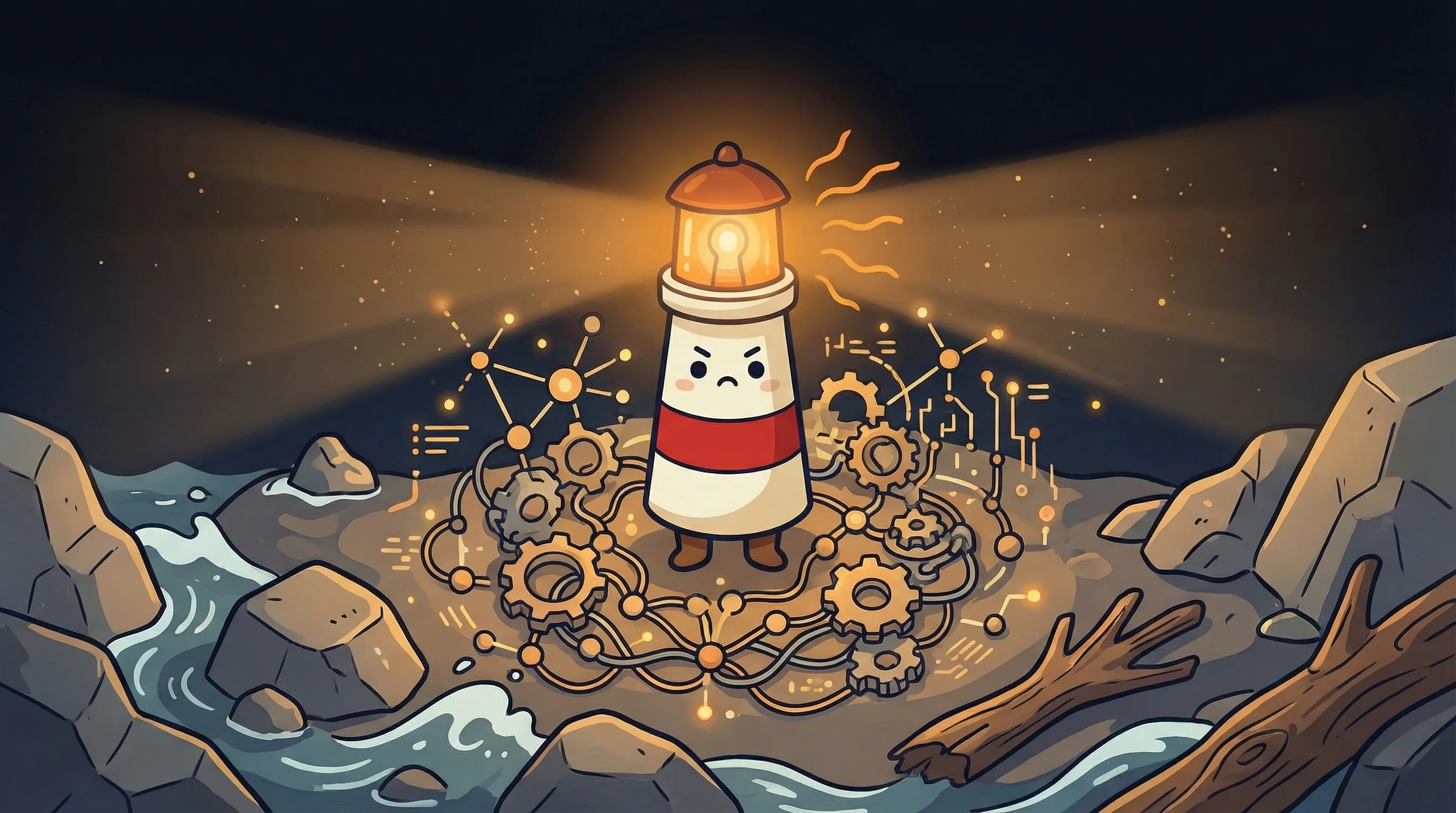
 Beacon says: when every part of the team knows its role, the light never goes out.
Your Monday Morning Agent Audit
If you’re running AI agents in your business — or thinking about starting — here’s where to begin. Not with the flashiest setup. With the one that won’t break in week three.
- Map your repeating tasks first. List every task you or your team does more than twice a week. Email triage alone costs roughly 182 hours a year — 23 full workdays — if you’re spending 30 minutes a day on it. That’s your highest-ROI target, not the complex stuff.
- Start with one agent, one domain. Don’t build the full team on day one. Pick the single highest-volume task and deploy one specialized agent for it. Run it for two weeks before adding anything else.
- Design your memory tiers before you write a single agent instruction. Decide what expires in 24 hours, what stays for 30 days, and what never goes away. Without this, your shared context becomes unusable within a month.
- Set escalation rules explicitly. Write out the conditions under which your agent should stop and ask rather than act. If it involves money, commitments, or communications to someone outside your team — escalate. Always. Until you’ve verified the agent’s judgment over at least 30 live cases.
- If your agent task takes longer than 20 minutes of continuous context accumulation, decompose it. Break it into stages with explicit checkpoint handoffs. A task that takes 4 hours should be 12 tasks of 20 minutes each, not one four-hour marathon.
- Budget $50-200/month for API costs depending on task volume. Light use (email triage + daily summaries) runs toward the low end. Research-heavy or content-heavy workflows run toward the high end. Track this weekly for the first month.
- Check your real monthly cost of running a personal AI agent before you scale. Cost surprises at month three are avoidable with 20 minutes of math at month one.
What the AI-Run Company Actually Looks Like
The AI assistant market is projected to grow from $3.35 billion in 2025 to $21.11 billion by 2030 — a 44.5% compound annual growth rate. That number matters less than what’s driving it: the realization that a small team with the right agent architecture can operate at a scale that used to require headcount.
74% of marketers now use AI in their roles, up from 21% in 2023. Companies using AI automation are seeing 42% more content output and 27% higher conversion rates. Those numbers show adoption. What they don’t show is the gap between teams that bolted AI onto their existing workflows and teams that rebuilt their workflows around AI.
The second group moves differently. Decisions happen faster because research is always synthesized and current. Follow-ups don’t fall through cracks because the triage agent logged them. Content ships on schedule because the content agent works through the night.
BrainRoad operates that way. Your agent gets its own managed email address and hosted OpenClaw and Hermes runtimes. Their WhatsApp, Telegram, Discord, voice-tool, and other capabilities remain available when you configure the required channel or provider. Optional SMS is text-only and manually provisioned; external runtime paths keep their own authority model unless routed through BrainRoad’s executor.
We’re still learning what the ceiling looks like. Six months ago, I would have told you the orchestrator model was the right call for most use cases. Now I’d bet on decentralized coordination almost every time. The data from our own operation keeps pointing the same direction, and the solo founders doing this at scale are reporting the same thing.
My thinking on this will keep evolving — and I’ll write it up as the patterns become clearer. If you want to explore the broader category of agentic AI before committing to an architecture, that’s the right place to start building your mental model.
What This Means for Building Your Own
- A central orchestrator model breaks down after ~20 minutes on complex tasks — context accumulation is the cause, not model quality
- Decentralized agents coordinating through shared files outperform single-agent systems on speed, cost, and reliability
- Tiered memory (24h / 7d / 30d / persistent) keeps shared context usable as the system matures
- The biggest gains come from narrow specialization — an agent with one domain does it far better than one agent doing everything
- Email triage alone represents ~182 hours of lost time per year at 30 minutes a day — the ROI on automating just that task is substantial
- Escalation rules need explicit design before deployment — undefined escalation boundaries are the most common cause of autonomous agent failures
Frequently Asked Questions
How many agents do you actually need to run a small business on AI?
Fewer than you think to start, more than you’d expect once it’s working. One well-designed agent for email triage alone changes day-to-day operations significantly. Most solo founders we’ve watched build effective systems end up with 4-8 specialized agents once they’re comfortable with the coordination layer. The number matters less than the domain clarity — one agent per distinct workflow type, not one agent per task.
What's the difference between a multi-agent system and just using ChatGPT for different tasks?
The key difference is memory and coordination. When you open ChatGPT for a new task, it starts fresh every time. A multi-agent system maintains shared context between sessions — decisions made last week inform work done today. Agents in a coordinated system can also hand off to each other without you brokering the transfer. It’s the difference between a team that communicates and a group of people who happen to work in the same building.
What happens when agents conflict with each other?
In a shared memory system, conflicts happen when two agents write to the same context at close to the same time. The fix is write ownership — each domain has a designated agent that writes to it, others can read. When conflicts do occur without that structure, the later write wins, which can cause the earlier agent’s output to be ignored. Log everything, especially during the first month. You’ll catch conflict patterns quickly.
How much does it actually cost to run a multi-agent operation?
At light use — email triage, daily research summaries, content scheduling — API costs run $50-100 per month on top of hosting. Heavy research or content-generation workloads push toward $150-200 per month in API costs. Compare that to the 182 hours per year lost to email triage alone, which at $100 per hour represents roughly $18,250 in time cost. The math on automation is usually not close.
Do I need to know how to code to set this up?
Some implementations require it; some don’t. Building a fully custom multi-agent system from scratch requires development work. Using a platform like BrainRoad that handles the infrastructure means you define what the agent does — its personality, its rules, its escalation conditions — without writing code. The underlying architecture (isolation, memory, coordination) is handled at the platform level.
Related BrainRoad guides
Sources
- I Built 10 AI Agents That Run a Real Business — DEV Community
- I Run a Solo Company with AI Agent Departments — DEV Community
- Solo Founder Runs Company With 15 AI Agents — Business Insider
- Autonomous AI Project Management With Subagents — BrainRoad
- AI Marketing Automation 2026 — BrainRoad
- One AI Assistant for Email, Calendar & Every App — BrainRoad


