Set up the software your team needs.
Accounts, permissions, forms and everyday settings, set up right. I get your staff started and deal with the software company when needed.
First call free. Paid work quoted first.

Bryan Leasure30 years in IT. I do the work.
Replacing anything is your call, not my assumption.
Calls: 10:00 a.m.–9:00 p.m. Central, Monday–Saturday.
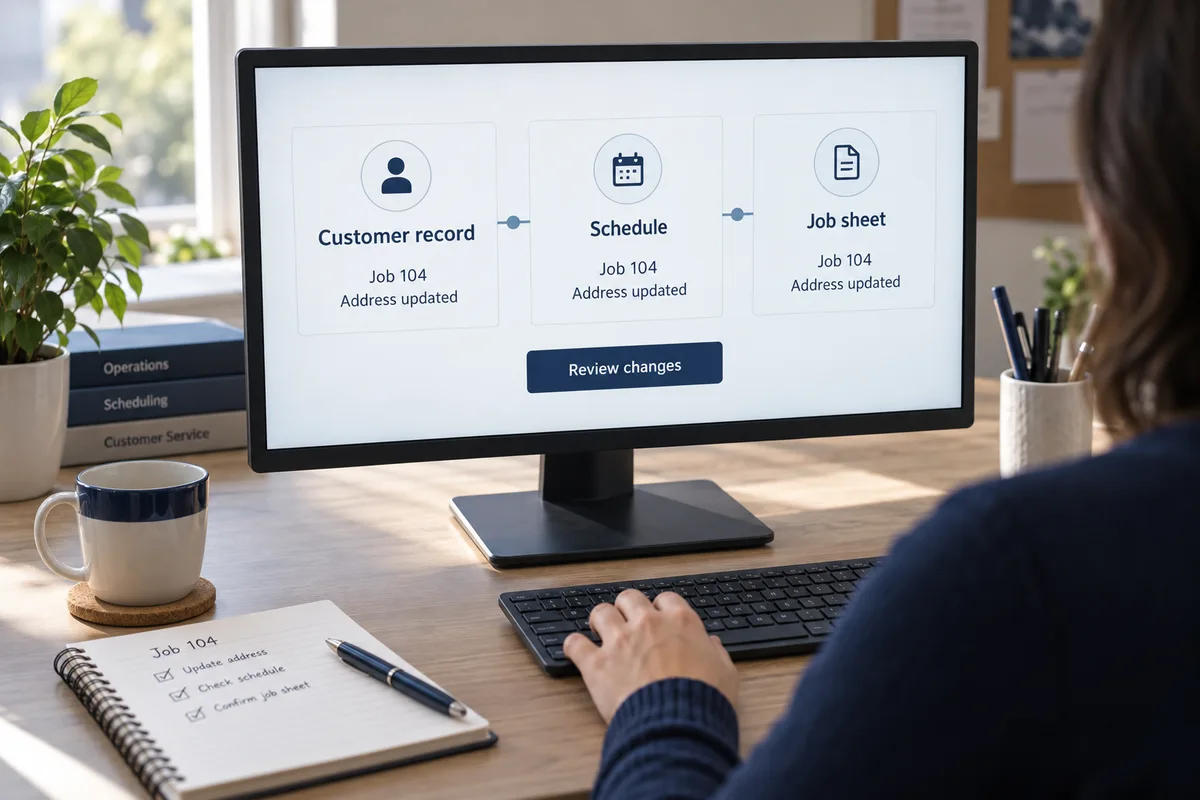
A customer changes their address. Someone updates the office system, someone edits the spreadsheet, and someone still sends the paperwork to the old address. Your team did the work. The programs never caught up with each other. Show me the task you keep copying, checking or correcting. I’ll find out what can be connected—and quote the work before building it.
Bring an example of what you need. Remote help is available anywhere in the U.S.; on-site work is in Missouri.

Accounts, permissions, forms and everyday settings, set up right. I get your staff started and deal with the software company when needed.
I connect the customer list, job records and schedule, so one change reaches everywhere it needs to.
I build a proper tool with the fields and checks your job needs, and keep what already works.
The report builds itself from your records, with every number traceable and missing data flagged, so your team can check where the numbers came from.
I build the missing form, customer portal, internal app or connection. Show me where people leave the system and start emailing, retyping or keeping their own list.
Need to automate a repeated task or put AI to practical use? See business automation and the AI Quick Start. For customer forms and contact records, see website forms and CRM setup.
Your team is already asking ChatGPT for help. Then someone opens three programs to find the information it needs. I can set up an existing connection or build a custom plugin so an agreed task can use the right business records.
The build, testing and handover are quoted for your project. ChatGPT plans, software subscriptions, hosting and usage charges are separate and approved first. Directory approval, placement and new customers are not guaranteed.
Here’s connection work I’ve already delivered.
See all completed projectsThe website validates and stores the lead first, then completes CRM delivery in the background so the customer is not left waiting on a slow handoff.
Example: a customer sends a request, their record is found or created, and the right person gets a follow-up task.
We test those cases together before you rely on it.
One change reaches every record that needs it, and your team can see what changed.
This is an example. Yours depends on what your software supports, and we test it before you rely on it.
Start with one task and the tools involved. The first conversation is free, and I quote the build, testing and training before you commit.
Usually not. I start with what your tools can already do. Sometimes a feature you already pay for, or a small connection, solves it.
Your quote lists any subscriptions, hosting or ongoing support, and you approve them first. No monthly plan required.
No. We agree who can use the connection and which records they may access, then test those limits. A public plugin listing does not make private records public; access still needs its own controls. We check your software, account and workspace options before promising a setup.
I can build and test it, prepare the submission and help respond to review feedback. OpenAI decides whether to approve it. It needs to perform a useful task; a listing is not a promise that ChatGPT will recommend your business or bring customers.
You do. Your accounts and data stay yours, and you get the access and documentation for what I build.
We agree up front what “working” means, then test it with your team. If it doesn’t do what we agreed, I fix it. Terms
Bring one example, even if it’s a spreadsheet and a sticky note. We’ll trace where the information goes, what your existing tools can do and whether a connection or custom tool is worth building. The first conversation is free.