ON THE PHONE NOW? HANG UP. IF THEY ARE CONNECTED, TURN THE COMPUTER OFF.
Is that warning real?
Free scam check · Nothing to buy

Bryan Leasure30 years in IT. I do the work.
Calls: 10:00 a.m.–9:00 p.m. Central, Monday–Saturday.
Don’t use the number in the warning. Call someone you chose yourself. Read me the pop-up, the strange email or the invoice, or tell me about the call. It’s free, there’s nothing to buy, and you’ll have a straight answer in about five minutes.
IF IT IS HAPPENING RIGHT NOW
- Hang up.
- Turn the computer off.
- Call the bank if money was involved.
- Call BrainRoad.
Free for anyone in the U.S. If you get voicemail, leave your name and number. I call back the same day when your message or request arrives Monday–Saturday, 10 a.m.–8 p.m. Central. After 8 p.m. or on Sunday, I’ll call by noon the next day I’m open.
Why those four steps work
Do not argue, explain, or wait to be polite. These actions remove the scammer’s leverage and give you time to verify safely.
Hang up.
You do not owe anyone on that call an explanation. If it is a popup, do not click anything on it, including the X.
Turn the computer off.
Hold the power button until the screen goes dark. That stops anyone from controlling that computer while you get help.
Call the bank if money was involved.
If you shared a card number, bank information, or moved money, call the number on the back of the card now. Do not use a number the caller gave you.
Call BrainRoad.
Keep the computer off. If you get voicemail, leave a message. I call back the same day when your message or request arrives Monday–Saturday, 10 a.m.–8 p.m. Central. After 8 p.m. or on Sunday, I’ll call by noon the next day I’m open.
Not sure what to make of it? Read it to me.
You don’t need to prove it’s a scam before you ask. Read me the pop-up, email or text, or tell me what happened on the call. No screenshots or technical explanation needed. We’ll work through what to do next.
- It is a scam.
- You hang up knowing what to delete, what to block, and whether the computer needs another look. Many virus warnings are themselves the trick.
- It is real.
- Some renewal emails and fraud alerts are real. You will know the safe next step and whether anything actually needs doing.
- We cannot be sure.
- Then the answer is to treat it as a scam. You will never hear “it is probably fine” when the facts do not support that.
Three warning signs worth checking
- They called out of the blue about your computer.
- Microsoft, Apple, and BrainRoad do not make unsolicited computer-support calls. A bank may call about money, but not to get into your computer.
- There is a countdown.
- Real problems do not expire in 30 minutes. Urgency is the scammer’s leverage; hanging up removes it.
- They demand gift cards or cryptocurrency.
- Legitimate support staff, government agencies, and utilities do not demand gift cards or cryptocurrency to stop an emergency. Hang up before sending anything.
Already clicked, paid, or let them in? Call anyway.
There is no shame and no lecture. If someone accessed the computer, the post-scam lockdown is $99 flat; if the problem is not fixed, you do not pay.
- Email and bank passwords locked down first
- The machine checked and anything left behind removed
- A plain script for the call to the bank
- A clear explanation of what was and was not at risk
Put the number where the scams happen.
Print one for your fridge and one for your folks. Every drop-off at the Columbia office comes back with a printed card in the bag.
Save the PDF to print later, or call and I’ll mail you one, free.
BRAINROADAI & IT Services
Free computer scam checks, anywhere in the U.S.
Unexpected call about your computer? BrainRoad never calls out of the blue. If you didn’t ask for help, hang up.
Someone in your computer? Hang up. Turn it off. That stops remote control.
Asked for gift cards or crypto? That is a scam warning. Hang up before sending anything.
brainroad.com/scam-check
Phone hours: 10:00 a.m.–9:00 p.m. Central, Monday–Saturday
Five common scams to recognize
Reviewed July 2026
- The “you have a virus” popup
- A full-screen warning with sirens and a phone number. Real virus warnings do not include a phone number.
- The call about your computer
- “We detected a problem with your machine.” Nobody legitimate calls first about your computer.
- The renewal invoice
- An email claims Geek Squad, Norton, or McAfee will charge a large amount unless you call. Check the actual bank statement instead.
- The grandkid emergency
- A voice that sounds like family needs money fast and asks for secrecy. Hang up and call the person’s real number.
- The “safe account” call
- A caller says to move money somewhere safe or wants into the computer. Hang up and call the number on the card.
Got something not on the list? Call (573) 687-9015. That is what the free check is for.
Questions people ask
- Is the scam check really free?
- Yes. It is free for anyone in the U.S., with no obligation. Finding out whether something is a scam should not cost money.
- I think my computer has a virus. Is this the right call?
- Yes. Most “virus warnings” are fake. The call tells you whether yours is fake and whether the machine needs a real look. If cleanup is needed, it is $99 flat; if the problem is not fixed, you do not pay.
- How do I know BrainRoad is not a scam?
- Fair question, and good instinct. BrainRoad LLC is a registered Missouri company with a published office address and phone number, run by me, Bryan Leasure, 30 years in IT. You can look me up. And I never call anyone out of the blue about their computer.
- Can you get stolen money back?
- Sometimes, especially if you act quickly, but nobody can promise it. Call the bank’s fraud line first and report it at reportfraud.ftc.gov. Anyone who calls promising recovery for a fee may be running a second scam.
When in doubt, call.
Read the popup, the email, or the story. You will get a straight answer in about five minutes, free.
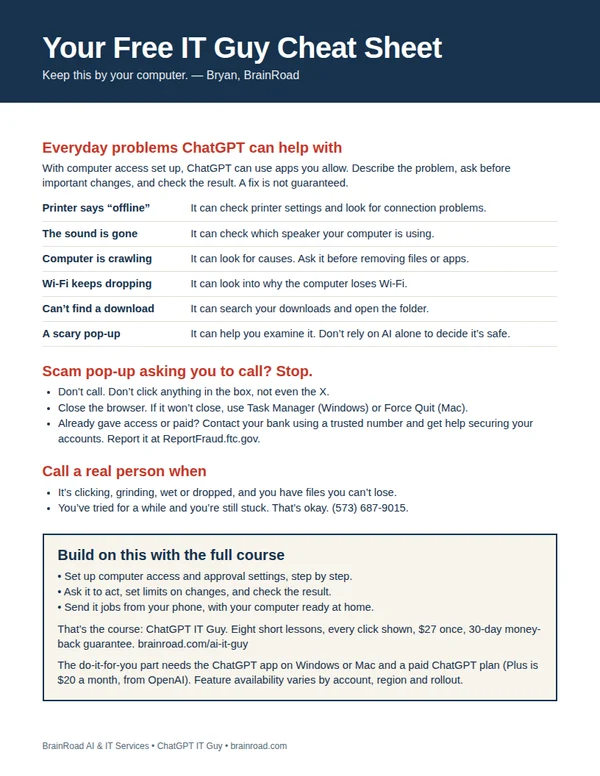
Get the cheat sheet that goes with the fridge card.
One printable page: the scam pop-up rule, everyday problems ChatGPT can help with, and when to call a real person. I’ll email it to you, plus a few short tips over the next week.