What I help with
- Laptop screens and batteries
- Drive and memory upgrades
- Overheating and shutdowns
- Computers that won’t start
- Slow machines that still have life in them
$149 flat labor · Parts at cost

Bryan Leasure30 years in IT. I do the work.
No repair starts without your approval.
Free diagnosis. Not fixed? You don’t pay.
Calls: 10:00 a.m.–9:00 p.m. Central, Monday–Saturday.
It worked yesterday. Now it won’t turn on, the screen is cracked, or the battery dies in an hour, and you’re wondering whether it’s time to buy a new one.
Bring it to my office in downtown Columbia, Suite 150. The diagnosis is free. You hear what failed, what it costs and whether it’s worth fixing before I touch it, and if it isn’t worth fixing, I’ll tell you. Walk-ins are welcome 8:00 a.m.–5:00 p.m. Central, Monday–Friday (closed major holidays). Call first if you’d like to find out whether remote help could save you the trip.
Free diagnosis. $149 flat labor. Not fixed? You don’t pay.
Parts at cost with the receipt. I explain the expected timing after diagnosis.
You don’t need the technical words. Tell me which of these sounds like your computer, or just describe what it’s doing.
The same symptom can come from five different places. My first job is finding the real failure, then telling you honestly whether the repair is worth it.
Power, storage, memory, heat or Windows. I test them together instead of guessing from one error message.
One flat labor price, $149, plus any parts at cost with the receipt, before any work starts.
Screens, batteries, drives, memory, cooling and startup failures, when the repair makes sense for the machine.
If replacing it is the better deal, I’ll say so and show you specific options at cost. Or buy it anywhere you like.
The free diagnosis tells us what kind of help you need before you spend anything. If it needs someone other than me, I’ll say so.
Not sure it’s worth fixing? Get a free second opinionWalk-ins are welcome 8:00 a.m.–5:00 p.m. Central, Monday–Friday (closed major holidays). You can also book a drop-off or call to see whether remote help fits. Diagnosis is free, hands-on repair is $149 flat labor, and parts are at cost. If I can’t fix it, you don’t pay.
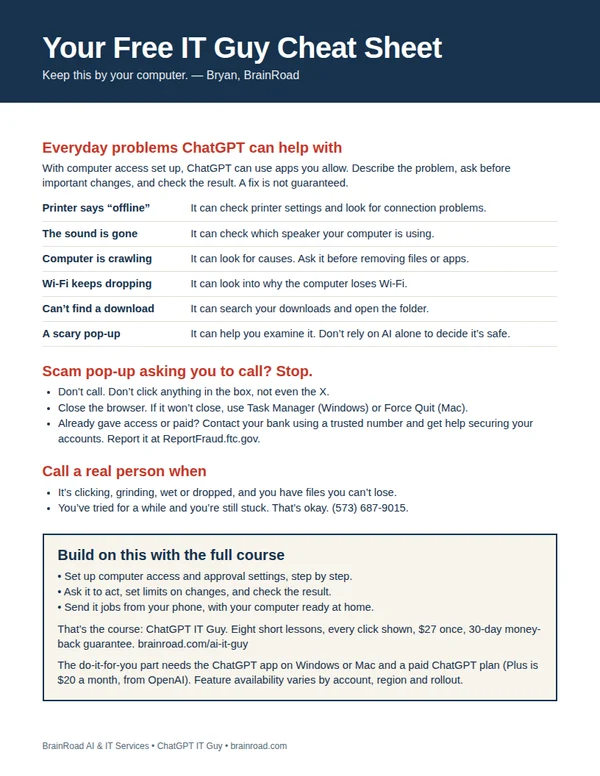
The next time the computer acts up, have somewhere to start. My one-page cheat sheet gives you ideas for what to ask ChatGPT, the scam pop-up rule, and when to bring me in. I’ll email it to you, plus a few short tips over the next week.
A setting you can’t find. A folder that needs sorting. Once your computer is working and online, ChatGPT can do the clicking in the apps you allow. I’ll show you the setup, what to ask and how to stay in charge. You can even send jobs from your phone while your computer stays awake and connected.
Show me how · $27 Want me to set it up for you?
The course is one payment. A paid ChatGPT plan is separate. Personal setup is a separate service, quoted first.